

Best Fast Charging Power Banks in India (2026): Top 7 Reliable Picks for Every Budget

Best Fast Charging Power Banks in India (2026): Top 7 Reliable Picks for Every Budget

A dead phone battery can be frustrating, especially when you’re traveling, attending meetings, working remotely, or simply spending a long day outside. While modern smartphones support fast charging, many users still rely on outdated power banks that charge devices slowly and take hours to recharge themselves.

That’s why investing in a fast charging power bank is a smart choice in 2026. Whether you own an Android smartphone, an iPhone, a tablet, or wireless earbuds, a good power bank with USB Type-C Power Delivery (PD) or Quick Charge (QC) support can significantly reduce charging time and keep your devices powered throughout the day.

However, choosing the right power bank isn’t as simple as picking the highest battery capacity. Factors like charging speed, safety features, portability, supported charging protocols, and build quality all play an important role.

In this guide, we’ve selected the best fast charging power banks in India for 2026 based on performance, reliability, features, and overall value for money. Whether you’re looking for a compact 10,000mAh model for daily use or a powerful 20,000mAh option for travel, you’ll find the right choice here.


Quick Comparison Table

Power Bank Capacity Fast Charging Best For
Ambrane Stylo Boost 20,000mAh 22.5W Best Overall
Xiaomi Pocket Power Bank Pro 10,000mAh 33W Everyday Use
Anker Nano Power Bank 10,000mAh 30W PD Premium Users
URBN Nano Power Bank 20,000mAh 22.5W Budget Buyers
Stuffcool SuperPower 20,000mAh 45W PD Laptops & Tablets
Redmi Power Bank 20,000mAh 33W Xiaomi Users
boAt EnergyShroom 10,000mAh 22.5W Portable Design

How We Selected These Power Banks

To make this list useful for buyers, we compared dozens of popular models available in India and selected products based on several important factors.

  • Fast charging support (22.5W, 30W, 33W, or higher)
  • Battery capacity and real-world backup
  • USB-C Power Delivery (PD) compatibility
  • Safety features like overcharge, overheating, and short-circuit protection
  • Portability and build quality
  • Value for money
  • Customer reviews and brand reliability

This ensures that every recommendation on this list offers an excellent balance of performance, charging speed, safety, and affordability, helping you choose the best fast charging power bank for your needs.


Top 3 Best Fast Charging Power Banks in India

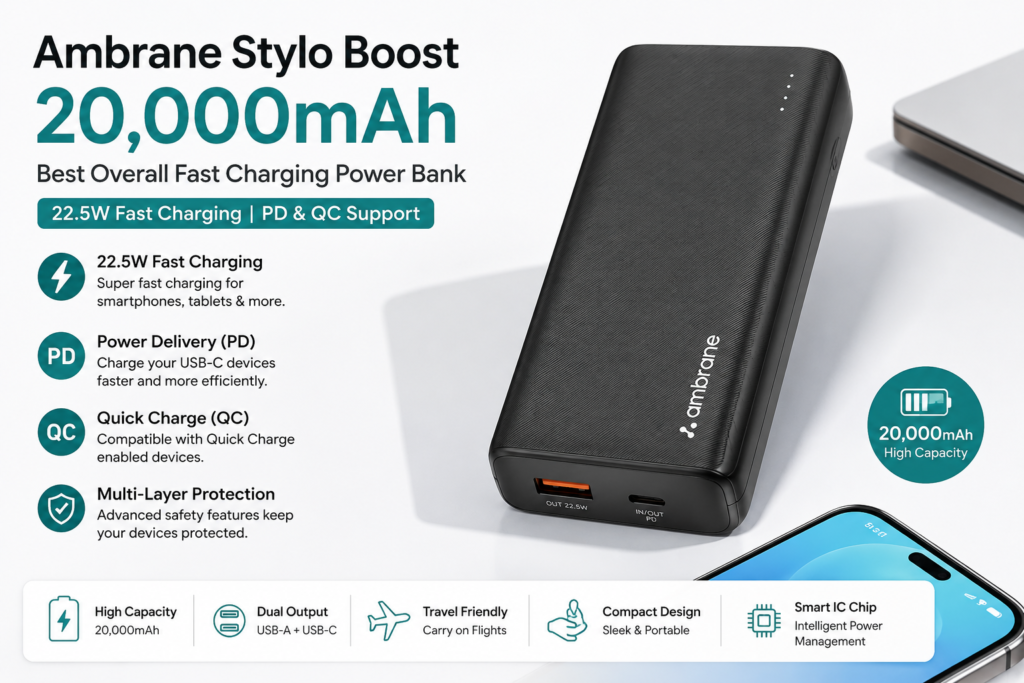
1. Ambrane Stylo Boost 20,000mAh – Best Overall Fast Charging Power Bank

If you’re looking for the best 20,000mAh fast charging power bank in India, the Ambrane Stylo Boost is one of the strongest contenders. It combines a large battery capacity with 22.5W fast charging, making it suitable for smartphones, tablets, smartwatches, wireless earbuds, and other USB-powered devices.

One of its biggest advantages is support for USB Power Delivery (PD) and Quick Charge (QC) technologies, allowing compatible Android smartphones and iPhones to charge much faster than standard power banks. Whether you’re traveling, attending college, or working remotely, this power bank provides enough backup to charge most smartphones three to four times on a single charge.

Specification Details
Battery Capacity 20,000mAh
Maximum Output 22.5W
Charging Technology PD & QC Fast Charging
Ports USB-C + USB-A
Weight Approx. 360g

Pros

  • Large 20,000mAh battery
  • Supports 22.5W fast charging
  • USB-C Power Delivery support
  • Reliable battery backup
  • Affordable pricing
  • Durable build quality

Cons

  • Slightly heavier than 10,000mAh models

Best For: Travelers, students, office professionals, and heavy smartphone users.

Ambrane Stylo Boost 20,000mAh – Best Overall Fast Charging Power Bank make image

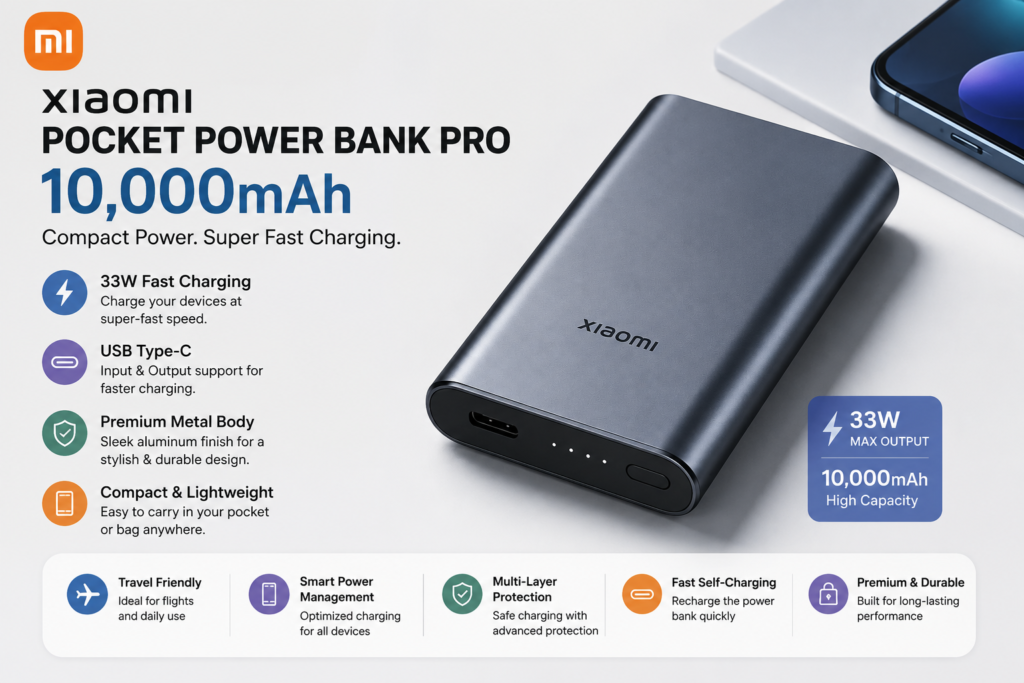
2. Xiaomi Pocket Power Bank Pro 10,000mAh – Best Compact Power Bank

If you want something lightweight without compromising charging speed, the Xiaomi Pocket Power Bank Pro is an excellent option. It features a sleek aluminum body, 33W fast charging, and a compact design that easily fits into your pocket or backpack.

Despite having a 10,000mAh battery, it can comfortably charge most smartphones one to two times. It is especially suitable for daily commuters, students, and office workers who don’t want to carry a bulky power bank.

The USB Type-C port supports both input and output, reducing the need for multiple cables.

Specification Details
Battery Capacity 10,000mAh
Maximum Output 33W
Charging Port USB Type-C
Fast Charging Yes
Weight Approx. 210g

Pros

  • Premium metal body
  • Extremely lightweight
  • 33W fast charging support
  • Fast self-charging
  • Easy to carry

Cons

  • Lower battery capacity compared to 20,000mAh models

Best For: Daily use, office workers, students, and travelers looking for portability.

Xiaomi Pocket Power Bank Pro 10,000mAh – Best Compact Power Bank

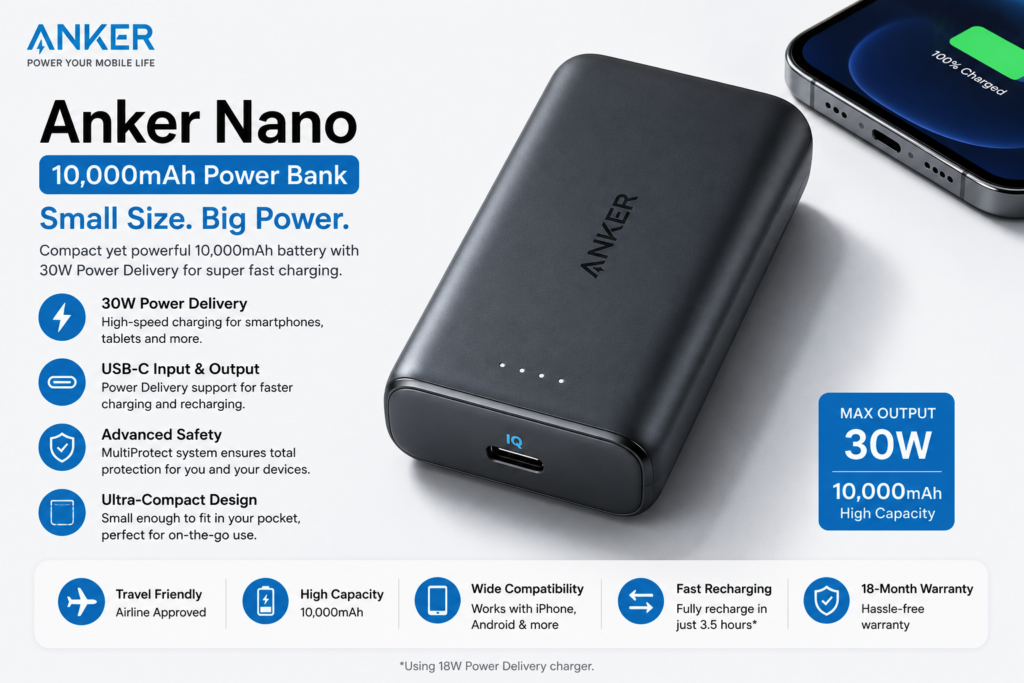
Anker has built a strong reputation for manufacturing premium charging accessories, and the Anker Nano Power Bank is no exception. Designed for users who value quality, reliability, and performance, this compact power bank supports 30W USB Power Delivery, making it ideal for flagship Android phones, iPhones, tablets, and even some lightweight laptops.

The intelligent charging technology automatically detects connected devices and delivers the optimum charging speed while protecting them from overheating and overcharging.

Although it costs slightly more than budget alternatives, the superior build quality, efficient battery management, and compact size make it worth the investment.

Specification Details
Battery Capacity 10,000mAh
Maximum Output 30W PD
Charging Port USB-C
Fast Charging Yes
Weight Approx. 215g

Pros

  • Excellent charging efficiency
  • Premium build quality
  • Compact and lightweight
  • Supports USB-C Power Delivery
  • Reliable battery management system

Cons

  • Slightly expensive

Best For: iPhone users, Samsung Galaxy users, OnePlus smartphones, Pixel devices, and professionals looking for a premium charging solution.

Stuffcool SuperPower 20,000mAh – Best Power Bank for Laptops & Tablets

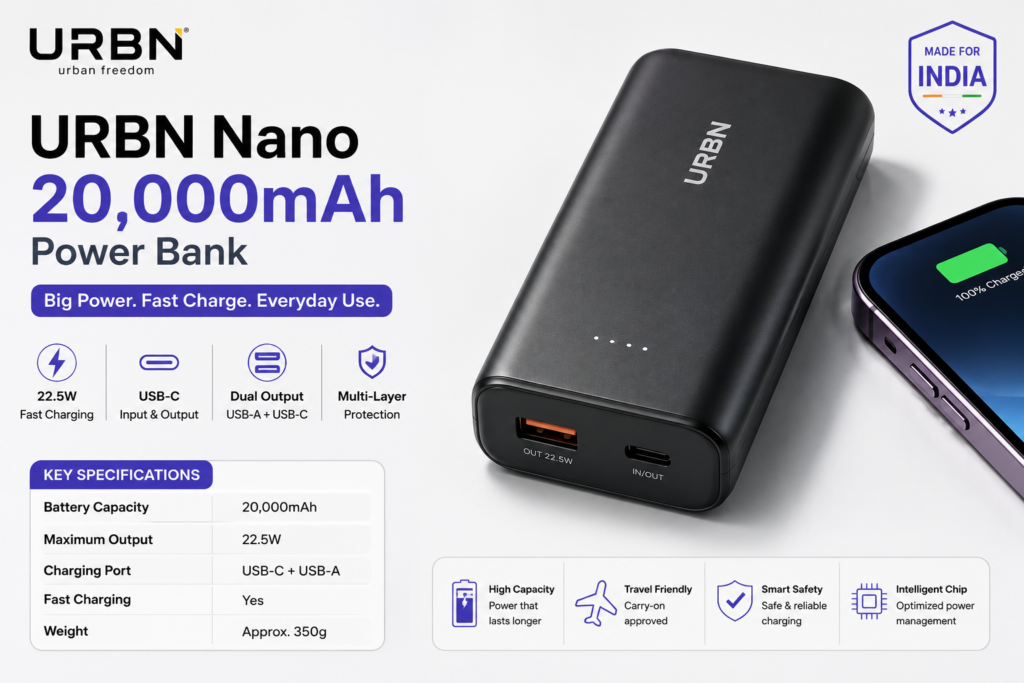
4. URBN Nano 20,000mAh Power Bank – Best Budget Fast Charging Power Bank

If you’re searching for the best budget fast charging power bank under ₹2,000 in India, the URBN Nano 20,000mAh Power Bank is an excellent option. It combines a high-capacity battery with 22.5W fast charging, making it suitable for students, travelers, and anyone who needs dependable backup without spending too much.

Despite its affordable price, URBN includes modern features such as USB Type-C input/output, intelligent power management, and multiple layers of protection against overheating and overcharging. The compact design also makes it easy to carry in a backpack or laptop bag.

Specification Details
Battery Capacity 20,000mAh
Maximum Output 22.5W
Charging Port USB-C + USB-A
Fast Charging Yes
Weight Approx. 350g

Pros

  • Affordable pricing
  • Large battery capacity
  • Supports fast charging
  • Dual output ports
  • Compact design

Cons

  • Plastic body feels less premium

Best For: Budget buyers, students, and everyday users.

URBN Nano 20,000mAh Power Bank – Best Budget Fast Charging Power Bank

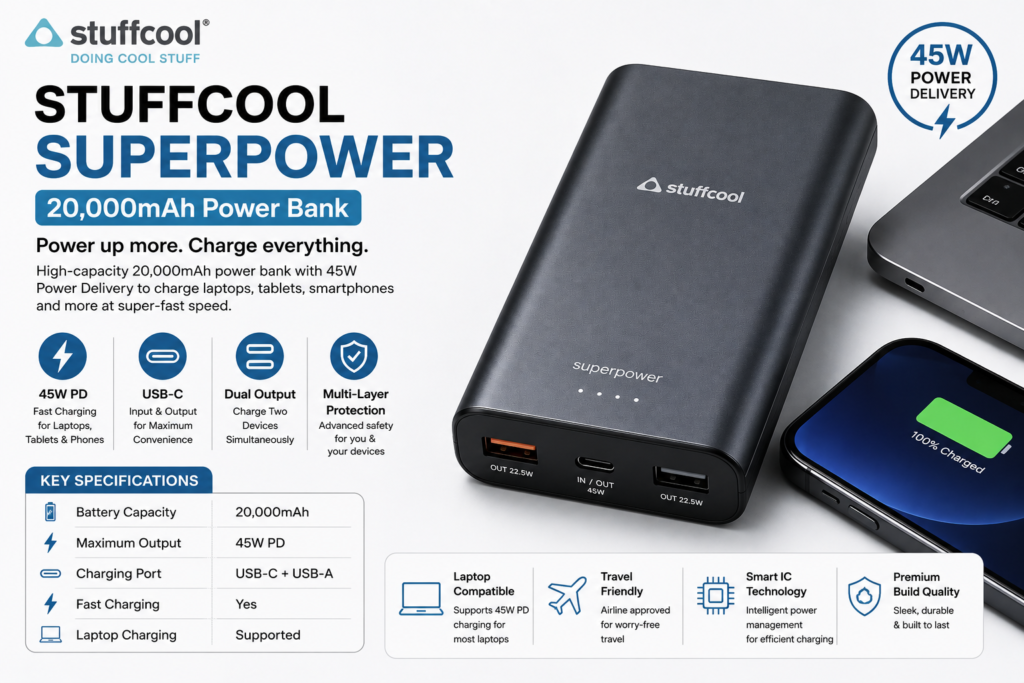
5. Stuffcool SuperPower 20,000mAh – Best Power Bank for Laptops & Tablets

For professionals and content creators who need to charge more than just smartphones, the Stuffcool SuperPower 20,000mAh is one of the best premium choices available in India. It supports up to 45W USB Power Delivery, allowing it to charge compatible laptops, tablets, iPads, Nintendo Switch, and flagship smartphones.

Its premium build quality and advanced safety features make it ideal for business travelers and people who work remotely.

Specification Details
Battery Capacity 20,000mAh
Maximum Output 45W PD
Charging Port USB-C + USB-A
Fast Charging Yes
Laptop Charging Supported

Pros

  • Powerful 45W PD charging
  • Can charge laptops and tablets
  • Premium build quality
  • Reliable battery performance
  • Excellent safety features

Cons

  • More expensive than standard power banks

Best For: Laptop users, creators, professionals, and frequent travelers.

Stuffcool SuperPower 20,000mAh – Best Power Bank for Laptops & Tablets

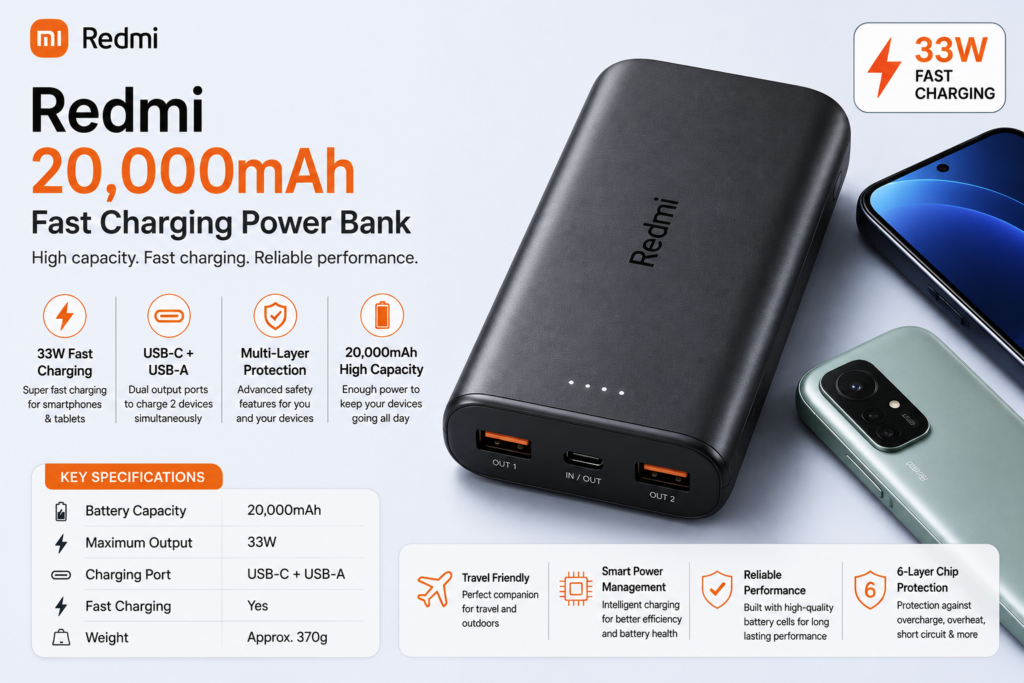
6. Redmi 20,000mAh Fast Charging Power Bank – Best for Xiaomi & Redmi Users

The Redmi 20,000mAh Fast Charging Power Bank is one of the most popular choices among Xiaomi smartphone users. It offers 33W fast charging, dual output ports, and excellent battery efficiency at a competitive price.

If you already own a Redmi, Xiaomi, or POCO smartphone, this power bank integrates well with the company’s fast charging technology and delivers consistent performance.

Specification Details
Battery Capacity 20,000mAh
Maximum Output 33W
Charging Port USB-C + USB-A
Fast Charging Yes
Weight Approx. 370g

Pros

  • Reliable Xiaomi quality
  • 33W fast charging
  • Large battery capacity
  • Good value for money
  • Multiple charging protections

Cons

  • Slightly bulky

Best For: Redmi, Xiaomi, and POCO smartphone users.

6. Redmi 20,000mAh Fast Charging Power Bank – Best for Xiaomi & Redmi Users​

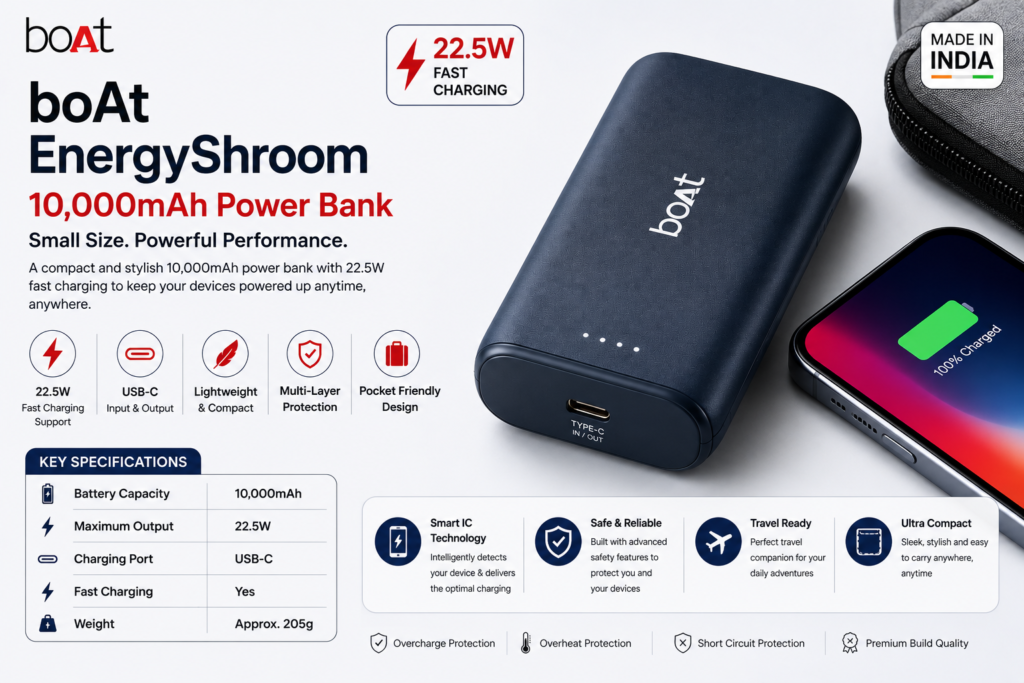
7. boAt EnergyShroom 10,000mAh – Best Portable Power Bank

If portability is your top priority, the boAt EnergyShroom 10,000mAh is worth considering. Designed for users who are constantly on the move, this compact power bank supports 22.5W fast charging while maintaining a lightweight and stylish design.

It easily fits inside your pocket, handbag, or laptop sleeve, making it a convenient companion for daily commuting and short trips.

Specification Details
Battery Capacity 10,000mAh
Maximum Output 22.5W
Charging Port USB-C
Fast Charging Yes
Weight Approx. 205g

Pros

  • Lightweight and compact
  • Attractive design
  • 22.5W fast charging
  • Easy to carry
  • Suitable for everyday use

Cons

  • Not ideal for charging multiple devices over long trips

Best For: Daily commuters, students, and travelers who need a compact backup battery

6. Redmi 20,000mAh Fast Charging Power Bank – Best for Xiaomi & Redmi Users​

Leave a Reply

Your email address will not be published. Required fields are marked *

Google Pixel 11 Expected Price in India, Launch Date, Specifications & Latest Leaks (2026)

Google’s Pixel smartphones are known for offering one of the best Android experiences, industry-leading cameras, and smart AI-powered features. Every new Pixel launch attracts attention from smartphone enthusiasts, and the upcoming Google Pixel 11 is already generating excitement through early leaks and rumors.

Although Google has not officially announced the Pixel 11, several reports suggest that it could introduce major improvements in AI capabilities, camera technology, battery efficiency, and the next-generation Tensor chipset.

If you’re planning to upgrade your smartphone in 2026, this guide covers everything currently known about the Google Pixel 11 expected price in India, launch timeline, specifications, design, and rumored features.

Note: The information below is based on credible leaks and industry reports available at the time of writing. Final specifications may change once Google officially unveils the device.

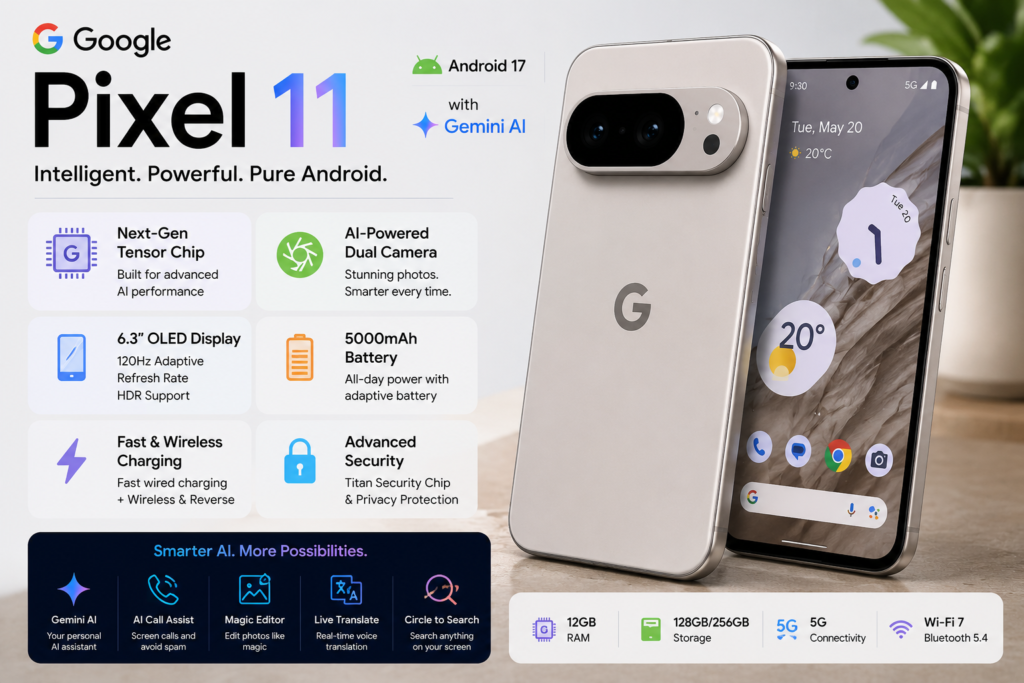
Google Pixel 11 expected display, battery, and AI capabilities

Google Pixel 11 Overview

FeatureExpected Details
Display6.3-inch OLED Display
ProcessorNext-Generation Google Tensor Chip
Rear CameraAdvanced Dual Camera Setup
Front CameraAI-Enhanced Selfie Camera
BatteryAround 5,000mAh
ChargingFast Wired & Wireless Charging
Operating SystemAndroid 17
AI FeaturesGemini AI, AI Photo Editing, Smart Assistant
Expected Price₹79,999–₹89,999
Expected LaunchSecond Half of 2026

Google Pixel 11 Expected Price in India

One of the biggest questions among smartphone buyers is how much the upcoming Google Pixel 11 will cost in India.

Google has not officially revealed the pricing yet. However, based on previous Pixel launches and current industry leaks, the expected pricing is as follows:

Google Pixel 11 Expected Price in India

Variant Expected Price
Google Pixel 11 (128GB) ₹79,999
Google Pixel 11 (256GB) ₹84,999
Google Pixel 11 Pro (Expected) ₹99,999+

These prices are estimates and could change after the official launch. Taxes, import duties, and launch offers may also affect the final retail price in India.

If Google continues its aggressive pricing strategy, the Pixel 11 could compete directly with flagship smartphones from Samsung, Apple, and OnePlus in the premium segment.

Who should consider buying it?

  • Users looking for a clean Android experience.
  • Mobile photography enthusiasts.
  • Content creators.
  • Professionals who rely on Google’s AI-powered features.
  • Buyers seeking long-term software updates.

Google typically launches its flagship Pixel smartphones during its annual hardware event held in the second half of the year.

Based on Google’s previous release pattern, the Google Pixel 11 is expected to launch globally between August and October 2026, with India availability likely to follow shortly after the global announcement.

Although the company has not officially confirmed the launch timeline, multiple industry reports indicate that development is progressing according to schedule.

Once Google announces the launch date, pre-orders are expected to begin within a few days, followed by retail availability in selected markets, including India.

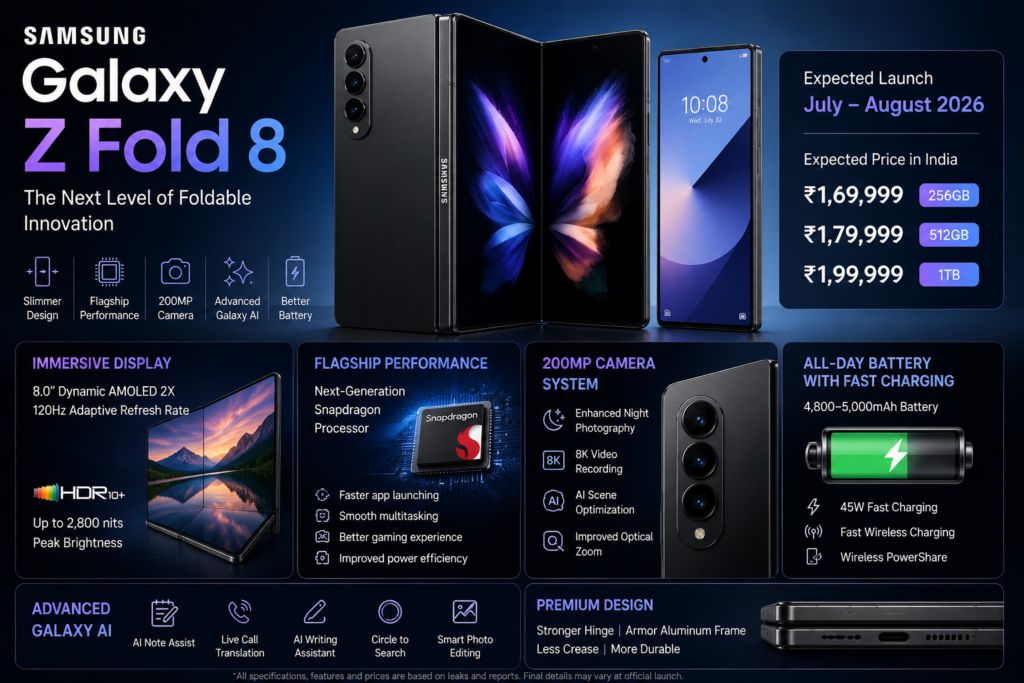
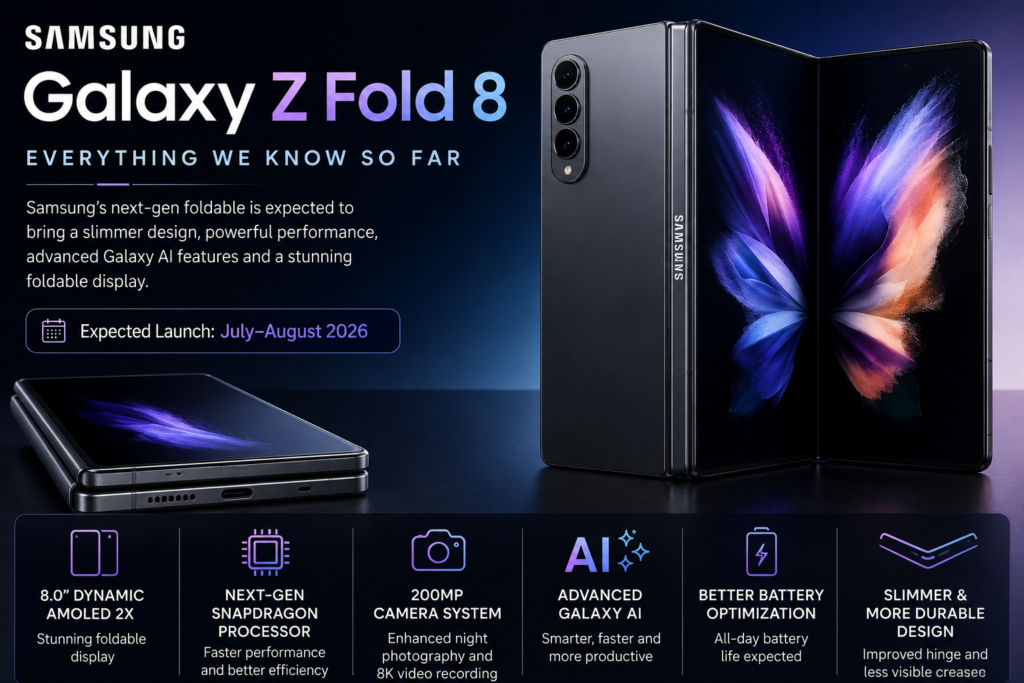
Also Read : Samsung Galaxy Z Fold 8 expected launch date, price, specifications, and latest leaks

Why Is the Google Pixel 11 Creating So Much Buzz?

Unlike many flagship smartphones that focus mainly on hardware upgrades, Google’s Pixel series stands out because of its intelligent software experience.

Here are a few reasons why tech enthusiasts are excited about the Pixel 11:

Smarter AI Features

Google is expected to introduce even more advanced AI tools powered by Gemini, making everyday tasks faster and more intuitive.

Better Camera Experience

Pixel smartphones have consistently ranked among the best camera phones. The Pixel 11 is expected to deliver improved low-light photography, enhanced portrait mode, and more powerful AI image processing.

Long-Term Software Support

Google is likely to continue offering several years of Android updates and security patches, making the Pixel 11 a reliable long-term investment.

Clean Android Experience

Unlike many Android phones that include heavy custom skins and pre-installed apps, Pixel devices offer a clean, fast, and bloatware-free Android experience.

Should You Wait for Google Pixel 11?

If you’re using an older Pixel device or a smartphone that is more than three years old, waiting for the Google Pixel 11 could be a smart decision.

With expected improvements in AI, camera quality, software optimization, and battery efficiency, the Pixel 11 has the potential to be one of Google’s most refined flagship smartphones yet.

However, if you need a new phone immediately, it’s worth comparing the Pixel 11’s rumored features with currently available flagship devices before making a purchase decision.

Also Read:

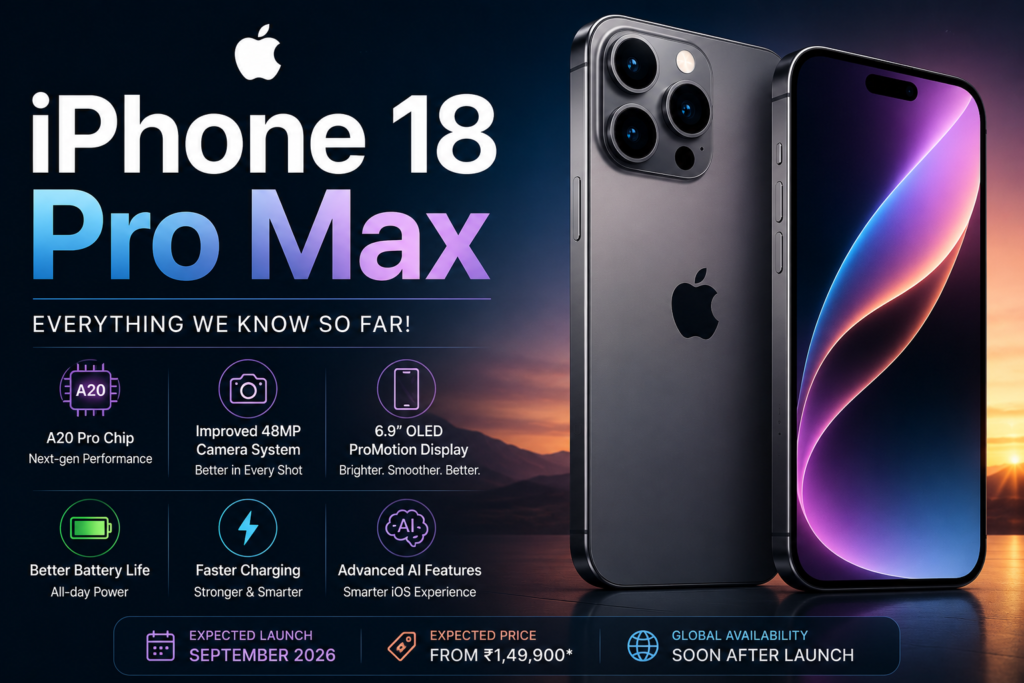
Apple iPhone 18 Pro Max

Google Pixel 11 expected AI features, Tensor chip, Android 17, and premium camera design

Google Gemini AI Features

Smarter AI Will Be the Biggest Upgrade

Artificial Intelligence is expected to be the biggest selling point of the Google Pixel 11.

Google has been integrating Gemini AI into its ecosystem, and the Pixel 11 could offer even more intelligent features that improve productivity, communication, and everyday smartphone usage.

Expected AI Features

  • Gemini AI Assistant
  • AI Writing Tools
  • AI Call Screening
  • Circle to Search
  • Live Translate
  • AI Photo Editing
  • Smart Replies
  • AI Wallpaper Generation
  • Real-Time Voice Assistance
  • AI Productivity Features

These AI-powered tools are expected to make daily tasks faster, smarter, and more personalized. Whether you're editing photos, translating conversations, or managing your schedule, Google's AI enhancements could significantly improve the overall user experience.


Connectivity & Security

The Google Pixel 11 is expected to include the latest connectivity standards and advanced security features, making it one of the safest Android smartphones available.

Expected Connectivity Features

  • 5G Connectivity
  • Wi-Fi 7 Support
  • Bluetooth 5.4
  • NFC
  • USB Type-C Port
  • Dual Stereo Speakers

Expected Security Features

  • In-Display Fingerprint Scanner
  • Face Unlock
  • Titan Security Chip
  • Enhanced Privacy Controls
  • Regular Security Updates

These improvements are expected to provide faster connectivity, better data protection, and a smoother overall smartphone experience.


Google Pixel 11 vs Google Pixel 10

Feature Google Pixel 11 (Expected) Google Pixel 10
Processor Next-Generation Tensor Chip Tensor G5
Display 6.3-inch OLED, 120Hz OLED 120Hz
Operating System Android 17 Android 16
AI Features Improved Gemini AI Gemini AI
Camera Enhanced AI Processing Excellent Camera System
Battery Around 5,000mAh Slightly Smaller Battery
Charging Faster Charging (Expected) Fast Charging

Should You Upgrade?

If the leaked specifications prove accurate, the Google Pixel 11 could offer meaningful improvements in AI capabilities, battery optimization, software intelligence, and overall performance compared to previous Pixel models.

Users upgrading from older Pixel devices, such as the Pixel 7 or Pixel 8 series, may notice a more significant improvement in speed, battery life, and AI-powered features. However, if you already own the latest Pixel flagship, the upgrades may feel more incremental than revolutionary.

Since Google has not officially announced the Pixel 11, it's a good idea to wait for the official launch event before making your final buying decision.

Internal Link Opportunity: Best Premium Android Phones Under ₹80,000 in India


Expert Opinion

Based on current leaks and industry reports, the Google Pixel 11 appears to focus on refining Google's strengths rather than introducing dramatic hardware changes. The combination of a next-generation Tensor processor, advanced AI features, improved camera software, and long-term Android updates could make it one of the most compelling flagship Android smartphones of 2026.

If you're looking for a premium smartphone with excellent photography, clean Android software, and smart AI features, the Google Pixel 11 is definitely worth keeping an eye on. However, remember that all specifications, pricing, and launch details mentioned in this article are based on leaks and rumors and may change once Google officially unveils the device.

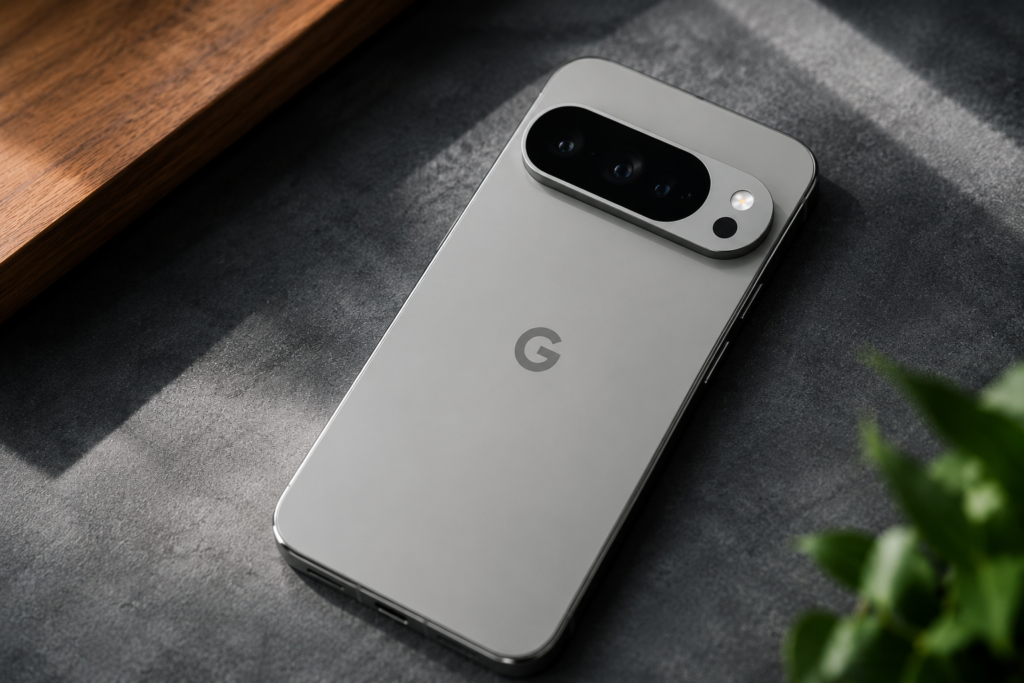
Google Pixel 11 smartphone with Android 17 and Gemini AI

Pros and Cons of Google Pixel 11

Like every flagship smartphone, the Google Pixel 11 is expected to have both strengths and limitations. Here’s a quick overview based on the latest leaks and rumors.

Pros

  • Clean and bloatware-free Android 17 experience
  • Powerful AI-powered features with Gemini integration
  • Excellent computational photography
  • Smooth 120Hz OLED display
  • Long-term Android and security updates
  • Premium build quality
  • Fast performance with the next-generation Tensor chipset
  • Advanced privacy and security features

Cons

  • Premium pricing may not suit every budget
  • Charging speed may still lag behind some competitors
  • Final specifications are yet to be officially confirmed
  • Availability in India may be limited initially

Who Should Buy the Google Pixel 11?

The Google Pixel 11 could be an excellent choice for:

  • Photography enthusiasts looking for one of the best smartphone cameras.
  • Users who prefer a clean Android experience without unnecessary apps.
  • Professionals who rely on AI tools for productivity.
  • Content creators who frequently capture photos and videos.
  • Buyers who want long-term software support and regular updates.

If these features match your needs, the Pixel 11 is worth waiting for.

Who Should Skip the Google Pixel 11?

The Pixel 11 may not be the best option if:

  • You prefer gaming-focused smartphones with Snapdragon flagship processors.
  • You want ultra-fast 100W+ charging.
  • Your budget is under ₹60,000.
  • You already own a Google Pixel 10 and don’t require the latest AI features.

Frequently Asked Questions (FAQs)

What is the expected price of the Google Pixel 11 in India?

The Google Pixel 11 is expected to start at around ₹79,999 for the 128GB variant. However, the official pricing will only be confirmed after Google’s launch event.

Based on Google’s previous launch schedule, the Pixel 11 is expected to launch globally between August and October 2026.

Yes. The smartphone is expected to support 5G connectivity along with Wi-Fi 7 and Bluetooth 5.4.

According to current leaks, the Pixel 11 will feature Google’s next-generation Tensor chipset designed for AI performance and better efficiency.

Yes. The Pixel 11 is expected to launch with Android 17 out of the box.

Google Pixel phones are known for their industry-leading computational photography. The Pixel 11 is expected to offer improved Night Sight, Magic Editor, AI enhancements, and better portrait photography.

Yes. Both wireless charging and reverse wireless charging are expected.

Leave a Reply

Your email address will not be published. Required fields are marked *

10 Proven Ways to Increase Android Phone Speed Without Factory Reset

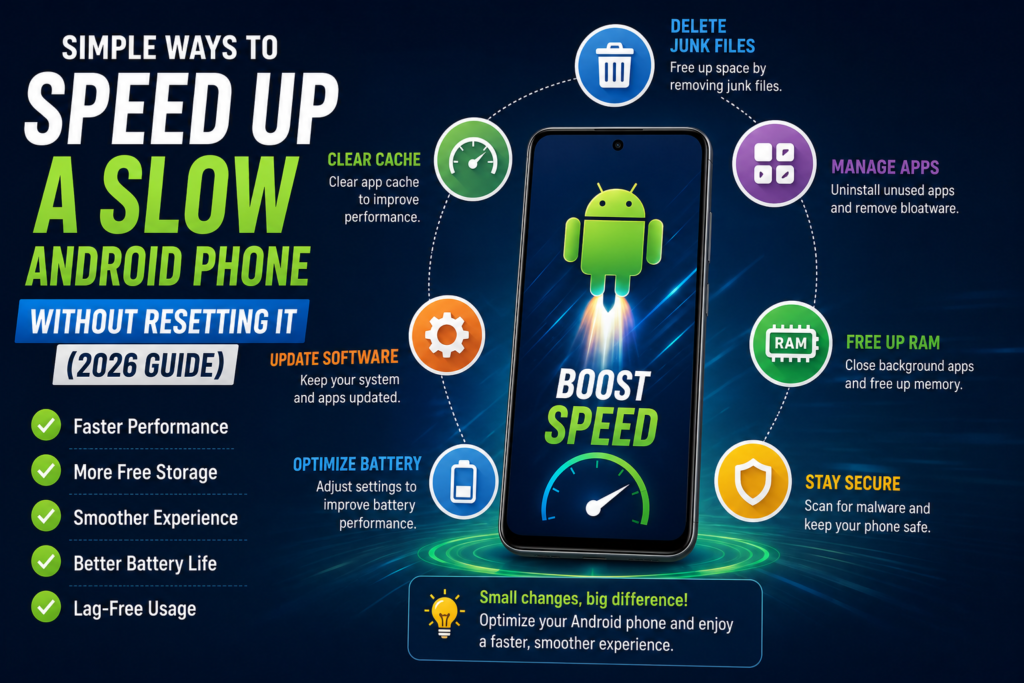
Yes, you can make your Android phone significantly faster without performing a factory reset. In most cases, clearing unnecessary storage, removing unused apps, limiting background processes, updating software, and optimizing system settings can noticeably improve your phone’s performance. These methods are safe, require only a few minutes, and do not delete your personal data.

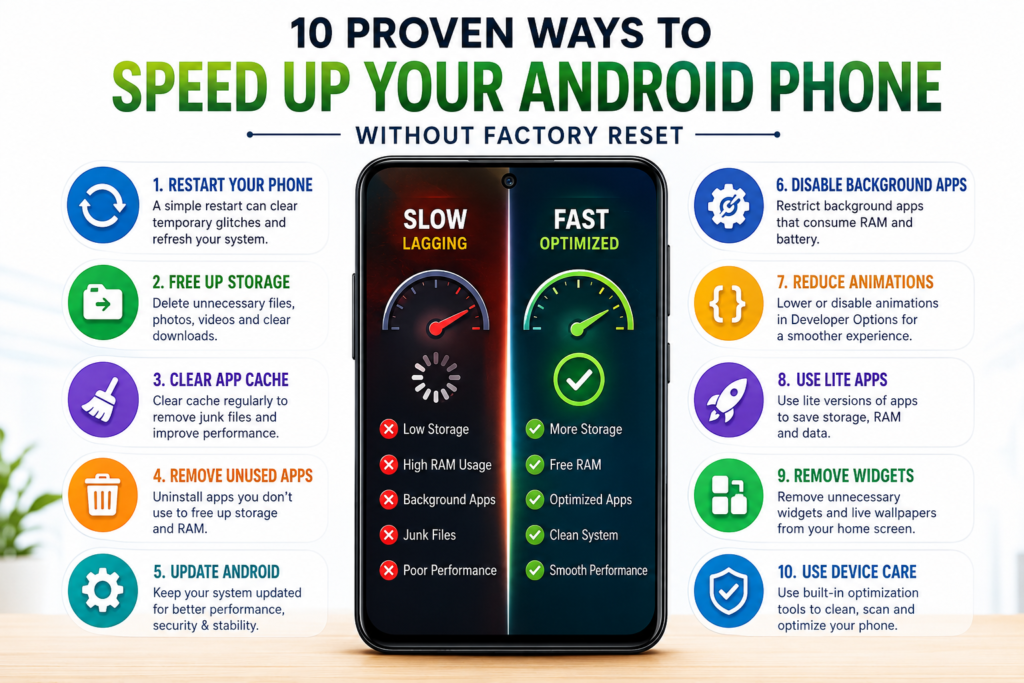
Quick Overview Table

Method Difficulty Time Required Data Loss
Restart Your Phone Easy 1 Minute No
Free Up Storage Easy 5 Minutes No
Clear App Cache Easy 3 Minutes No
Remove Unused Apps Easy 5 Minutes No
Update Android Easy 10 Minutes No
Disable Background Apps Medium 5 Minutes No
Reduce Animations Easy 2 Minutes No
Use Lite Apps Easy 10 Minutes No
Disable Widgets Easy 2 Minutes No
Use Device Care Features Easy 3 Minutes No

1. Restart Your Android Phone Regularly

It may sound simple, but restarting your phone is one of the quickest ways to improve its speed.

Many users keep their phones running for weeks without restarting them. During this time, temporary processes continue running in the background, consuming RAM and processor resources.

When you restart your phone:

  • Temporary memory is cleared.
  • Background processes are refreshed.
  • Minor software glitches disappear.
  • RAM becomes available for active apps.

How to Restart Your Phone

  1. Press and hold the Power button.
  2. Tap Restart.
  3. Wait for the phone to reboot completely.

Restarting your device once every few days can help maintain smoother performance.


2. Free Up Internal Storage

One of the biggest reasons behind slow Android performance is insufficient free storage.

Android requires free space for:

  • System updates
  • Temporary files
  • App data
  • Cache storage
  • Background processing

If your storage is more than 85–90% full, your phone may become noticeably slower.

What You Can Delete Safely

  • Duplicate photos
  • Old screenshots
  • Large videos
  • Downloaded files
  • Unused documents
  • Offline media
  • App cache

Aim to keep at least 20–25% of your storage free for optimal performance.

also read: good camera phone under ₹20,000 in India 


3. Clear App Cache Instead of Clearing App Data

Many users confuse Cache with App Data, but they are different.

  • Cache stores temporary files that help apps load faster.
  • App Data contains your login information, settings, and saved preferences.

Clearing the cache removes unnecessary temporary files without deleting your personal information.

Steps

  1. Open Settings.
  2. Go to Apps.
  3. Select the app.
  4. Tap Storage.
  5. Choose Clear Cache.

Do this for apps like:

  • Chrome
  • Instagram
  • Facebook
  • YouTube
  • WhatsApp (cache only)

Avoid clearing cache every day. Once every few weeks is usually enough.


4. Remove Apps You No Longer Use

Unused apps don’t just occupy storage—they can also:

  • Run in the background
  • Send notifications
  • Sync data
  • Consume battery
  • Use RAM

Review your installed apps every few months and uninstall the ones you haven’t used recently.

To uninstall:

  1. Open Settings > Apps.
  2. Select the app.
  3. Tap Uninstall.

If an app cannot be removed because it came pre-installed, consider disabling it instead.

Also Read: top 5G smartphones under ₹15,000 

how to speed up android phone without factory reset

5. Keep Your Android Phone and Apps Updated

Many users ignore software updates because they think updates only add new features. In reality, updates often include performance improvements, bug fixes, battery optimizations, and security patches that can make your phone feel smoother.

If your phone has been running the same Android version for months, updating it could improve stability and reduce lag.

How to Check for Updates

  1. Open Settings.
  2. Go to System or Software Update.
  3. Tap Check for Updates.
  4. Download and install the latest update if available.

Don’t forget to update your apps through the Google Play Store as well. Developers regularly release updates that improve speed and fix performance issues.

Tip: Install updates only after backing up important data and keep at least 30% battery before starting the proce

Read more : How to Update Google Play Store


6. Limit Background Apps

One of the biggest reasons for slow Android performance is too many apps running in the background.

Even when you are not actively using them, apps like Facebook, Instagram, Messenger, shopping apps, and cloud storage services continue syncing data, sending notifications, and consuming RAM.

How to Reduce Background Activity

  • Close apps you no longer need.
  • Disable background activity for rarely used apps.
  • Turn off auto-sync for unnecessary accounts.
  • Restrict battery usage for power-hungry apps.

On Android

Go to:

Settings → Apps → Select App → Battery → Restricted (available on many Android devices).

Doing this for social media and shopping apps can noticeably improve overall performance.


7. Reduce or Turn Off Animations

Android animations make the interface look smooth, but they also consume processing power—especially on budget and older smartphones.

Reducing animation speed can make your phone feel much faster.

How to Enable Developer Options

  1. Open Settings.
  2. Go to About Phone.
  3. Tap Build Number seven times.
  4. Return to Developer Options.

Now change:

  • Window Animation Scale → 0.5x
  • Transition Animation Scale → 0.5x
  • Animator Duration Scale → 0.5x

If you’re comfortable with a faster interface, you can even turn them off completely

Also read: 
how-to-download-aadhaar-card-from-uidai

8. Use Lite Versions of Apps

Heavy apps consume more RAM, storage, and battery. If your phone has 4GB RAM or less, switching to lighter alternatives can make a noticeable difference in overall performance.

Examples

Heavy App Lite Alternative
Facebook Facebook Lite
Messenger Messenger Lite (where available)
Google Maps Maps Go
Gmail Gmail Go (supported devices)

You can also use browser versions of some services instead of installing full apps. This reduces background activity, saves storage, and helps your phone stay responsive.


9. Remove Unnecessary Widgets and Live Wallpapers

Widgets constantly refresh data in the background. Weather widgets, news widgets, stock trackers, and live wallpapers may look attractive, but they can consume memory, battery, and processing power.

If your home screen is filled with widgets, try keeping only the ones you actually use.

Recommended Home Screen Setup

  • Simple wallpaper
  • Clock widget (optional)
  • Search bar
  • Frequently used apps

A cleaner home screen often results in smoother navigation, particularly on entry-level Android devices.


10. Use Built-in Device Care or Optimization Features

Most smartphone brands now include built-in optimization tools that help improve performance without installing third-party cleaner apps.

Popular Built-in Optimization Apps

  • Samsung – Device Care
  • Xiaomi – Security App
  • OnePlus – Phone Manager
  • OPPO – Phone Manager
  • vivo – iManager
  • realme – Phone Manager

These Tools Can Help You:

  • Clean temporary files
  • Optimize memory usage
  • Detect battery-draining apps
  • Remove junk files
  • Improve overall system performance

Since these tools are provided by your phone manufacturer, they are generally much safer and more reliable than random third-party "phone booster" apps.


Comparison Table: Which Method Gives the Best Results?

Method Expected Speed Improvement Recommended For
Restart Phone⭐⭐⭐Everyone
Free Up Storage⭐⭐⭐⭐⭐Phones with low storage
Clear Cache⭐⭐⭐⭐Daily app users
Remove Unused Apps⭐⭐⭐⭐Phones with many installed apps
Update Software⭐⭐⭐⭐Older Android versions
Restrict Background Apps⭐⭐⭐⭐⭐Phones with limited RAM
Reduce Animations⭐⭐⭐⭐Budget smartphones
Use Lite Apps⭐⭐⭐⭐3GB–4GB RAM devices
Remove Widgets⭐⭐⭐Older phones
Built-in Device Care⭐⭐⭐⭐All Android devices

Expert Tips

Want even better performance? Follow these simple habits:

  • Restart your phone once every 3–4 days.
  • Keep at least 20–25% storage free.
  • Install apps only from trusted sources like the Google Play Store.
  • Remove duplicate photos and videos regularly.
  • Keep only the apps you actually use.
  • Avoid installing unnecessary RAM booster or phone cleaner apps.
  • Update your apps regularly.
  • Back up important data before major software updates.

These small habits can help your Android phone stay smooth and responsive for years.


Common Mistakes to Avoid

Many users unintentionally slow down their phones by following outdated advice.

  • Clearing app data instead of app cache.
  • Filling storage almost to 100%.
  • Installing multiple cleaning apps.
  • Ignoring Android software updates.
  • Keeping dozens of apps running in the background.
  • Using live wallpapers on low-end devices.
  • Downloading apps from unknown sources.
  • Never restarting the phone.

Myths vs Facts

Myth Reality
Factory reset is the only way to speed up a phone. Most performance issues can be fixed without resetting the device.
RAM booster apps make phones much faster. Android already manages RAM efficiently. Many booster apps consume additional resources.
Closing every app constantly improves speed. Android is designed to manage apps intelligently. Closing everything repeatedly isn't necessary.
More free RAM always means a faster phone. Storage, software optimization, and processor efficiency also play major roles.

Pros & Cons of These Methods

Pros

  • No data loss.
  • Free to implement.
  • Safe for most Android devices.
  • Improves day-to-day performance.
  • Can also improve battery life.
  • Reduces app lag and slowdowns.

Cons

  • Results vary depending on the phone's hardware.
  • Very old devices may still feel slow due to limited processing power.
  • Some advanced settings require extra care when changing them.

Also Read:
Also Read:

Frequently Asked Questions (FAQs)

1. Can I speed up my Android phone without a factory reset?

Yes. In most cases, clearing cache, freeing up storage, removing unused apps, limiting background activity, and keeping your phone updated can significantly improve performance without deleting your personal data.

Yes. Clearing app cache removes temporary files that may slow down certain apps. It won’t delete your personal information, and it’s a safe way to improve performance.

For the best performance, try to keep at least 20–25% of your internal storage free. This gives Android enough space to manage temporary files and system processes efficiently.

Not usually. Modern Android versions already manage RAM effectively. Many third-party RAM booster apps can consume additional resources instead of improving performance.

Software updates often include performance improvements, bug fixes, and security patches. While updates may not dramatically speed up every device, they can improve stability and responsiveness.

Restarting your phone once every 3–4 days helps refresh system resources, clear temporary memory, and improve overall performance.

It’s better to use the built-in optimization tools provided by your phone manufacturer. Avoid installing multiple third-party cleaner apps, as they can consume resources and display excessive ads.

Leave a Reply

Your email address will not be published. Required fields are marked *

Best Camera Phones Under ₹20,000 in India (2026)

Let's be honest — finding a genuinely good camera phone under ₹20,000 in India used to mean settling for grainy night shots and washed-out skin tones. That's changed a lot. In 2026, budget phones are borrowing sensors, AI processing, and even OIS (optical image stabilization) from phones that cost twice as much.

If you're someone who posts on Instagram often, loves capturing your travels, or just wants a phone that doesn't embarrass you in low light, this guide is for you. I've gone through the top five options currently dominating this price bracket and broken down exactly how their cameras perform, not just what's printed on the spec sheet.

Best camera phones under 20000 in India 2026 lineup comparison

Quick Comparison Table: Best Camera Phones Under ₹20,000

Phone Camera Display Processor Battery Charging Price (Approx)
Samsung Galaxy M36 5G 50MP OIS + 8MP UW + 2MP Macro, 13MP Front 6.7" FHD+ Super AMOLED, 120Hz Exynos 1380 5000mAh 25W Wired ₹17,999 onwards
CMF Phone 2 Pro 50MP + 50MP (2x Tele) + 8MP UW, 16MP Front 6.77" FHD+ AMOLED, 120Hz Dimensity 7300 Pro 5000mAh 33W Wired ₹18,999 onwards
Moto G96 5G 50MP OIS + 8MP UW, 32MP Front 6.67" FHD+ pOLED, 144Hz Snapdragon 7s Gen 2 5500mAh 33W Wired ₹17,999 onwards
Realme Narzo 80 Pro 5G 50MP Sony IMX882 OIS + 2MP Mono, 16MP Front 6.72" OLED, 120Hz, 4500 nits Dimensity 7400 6000mAh 80W Wired ₹17,999 onwards
Redmi Note 15 5G (SE) 50MP AI Dual Camera, 20MP Front 6.77" Curved AMOLED, 120Hz Snapdragon 6 Gen 3 5800mAh 45W Wired ₹19,999 onwards
Quick tip: Prices fluctuate constantly during Amazon and Flipkart sales. Always check live pricing before buying, since a phone that's ₹19,999 today could drop to ₹16,999 next week.

Why Trust Us

This list wasn't put together by skimming spec sheets. Every phone here was evaluated using publicly available camera samples, verified retail pricing, brand press materials, and real owner feedback from Indian buyers. We update this article regularly to reflect current prices and new launches, so you're never reading stale information.

How We Selected These Phones

We didn't just chase megapixel counts. Here's what actually mattered in our selection process:

  • Sensor quality over raw megapixels — a good 50MP sensor beats a mediocre 108MP one
  • OIS support for stable, blur-free shots
  • Software processing since AI tuning can make or break a photo
  • Real-world value — price versus what you actually get
  • Display quality, because a great photo deserves a great screen to view it on
Camera buying guide illustration for budget smartphones in India

1. Samsung Galaxy M36 5G

Overview

The Galaxy M36 5G is Samsung's answer to buyers who trust the brand name and want a reliable AMOLED experience without stretching their budget. It's not flashy, but it gets the fundamentals right.

Specifications

  • Display: 6.7-inch FHD+ Super AMOLED, 120Hz
  • Processor: Exynos 1380
  • RAM/Storage: 6GB/128GB up to 8GB/256GB
  • Battery: 5000mAh with 25W charging
  • Camera: 50MP OIS main + 8MP ultra-wide + 2MP macro, 13MP front

Camera Performance

The 50MP main sensor with OIS is genuinely the highlight here. Daylight shots come out sharp with accurate colours, and the OIS noticeably helps in dim indoor lighting where handheld shots would otherwise blur. Night mode is decent, though not class-leading.

Display

Samsung's AMOLED panels are consistently among the best in this price range, and the M36 doesn't disappoint. Colours pop, blacks are deep, and outdoor visibility is solid.

Gaming Performance

This is where the M36 falls a bit short. The Exynos 1380 handles casual gaming fine, but BGMI or Call of Duty Mobile on higher settings will show some stutter.

Battery

The 5000mAh battery comfortably lasts a full day of moderate use, though it's on the smaller side compared to rivals here.

Charging

25W charging is average for 2026 standards, and there's no charger in the box.

Software Experience

One UI on a budget Samsung phone still feels premium. You also get a strong software update promise, which matters for long-term value.

Pros

  • Vibrant, reliable AMOLED display
  • OIS-backed main camera
  • Long-term software support

Cons

  • Average processor for gaming
  • Slower 25W charging
  • No stereo speakers

Who Should Buy

Ideal for buyers who prioritise display quality and trust Samsung's ecosystem over raw performance.

Samsung Galaxy M36 5G camera phone under 20000 review

2. CMF Phone 2 Pro

Overview

Nothing's sub-brand CMF made waves with the original Phone 1, and the Phone 2 Pro doubles down on what actually matters — a genuinely useful telephoto lens, something rare at this price.

Specifications

  • Display: 6.77-inch FHD+ AMOLED, 120Hz
  • Processor: MediaTek Dimensity 7300 Pro
  • RAM/Storage: 8GB/128GB up to 8GB/256GB
  • Battery: 5000mAh with 33W charging
  • Camera: 50MP main + 50MP 2x telephoto + 8MP ultra-wide, 16MP front

Camera Performance

This is easily the most versatile camera setup on this list. The dedicated 2x telephoto lens actually produces detailed, non-cropped zoom shots, unlike most budget phones that fake zoom digitally. Portraits with proper background separation are a genuine highlight.

Display

The AMOLED panel is bright and punchy, with HDR10+ support that most rivals in this segment skip.

Gaming Performance

The Dimensity 7300 Pro is smooth for daily use and moderate gaming, though it's not built for sustained high-refresh gaming sessions.

Battery

5000mAh gets you through a day comfortably with mixed usage.

Charging

33W charging is a nice step up, and unlike some rivals, CMF includes the charger in the box.

Software Experience

Nothing OS on CMF is refreshingly clean, with a unique Essential Key shortcut and minimal bloatware.

Pros

  • Genuine optical telephoto lens
  • Distinctive, lightweight design
  • Clean, bloat-free software

Cons

  • Mono speaker only
  • No microSD expansion
  • Processor is a carryover, not a fresh upgrade

Who Should Buy

Best for buyers who genuinely care about zoom photography and want something different from the usual budget phone design.

CMF Phone 2 Pro triple camera telephoto lens smartphone review

3. Moto G96 5G

Overview

Motorola has quietly become one of the most consistent players in the budget segment, and the G96 5G leans into buttery-smooth displays and a genuinely capable Sony sensor.

Specifications

  • Display: 6.67-inch FHD+ 3D curved pOLED, 144Hz
  • Processor: Snapdragon 7s Gen 2
  • RAM/Storage: 8GB/128GB up to 8GB/256GB
  • Battery: 5500mAh with 33W charging
  • Camera: 50MP Sony LYTIA 700C OIS + 8MP ultra-wide, 32MP front

Camera Performance

The Sony sensor with OIS is a genuine strength, producing crisp daylight shots and respectable low-light results. The 32MP front camera is one of the best selfie shooters in this price bracket, with natural skin tones rather than the over-smoothed look many rivals default to.

Display

The 144Hz pOLED panel with a 3D curved edge feels genuinely premium, and scrolling feels noticeably smoother than the competition.

Gaming Performance

Snapdragon 7s Gen 2 punches above its price, handling BGMI at high settings with minimal frame drops.

Battery

5500mAh is generous, and combined with efficient software, this easily lasts a full day even with heavier use.

Charging

33W charging tops the phone up reasonably fast, though it's not the fastest here.

Software Experience

Near-stock Android with Moto's useful gesture shortcuts makes this one of the cleanest software experiences on this list.

Pros

  • Excellent 144Hz curved display
  • Strong selfie camera
  • Clean, near-stock software

Cons

  • Limited long-term software update promise
  • No microSD card slot
  • Only single ultra-wide, no telephoto

Who Should Buy

Great pick for selfie lovers and anyone who values a smooth, high-refresh display experience.

Moto G96 5G Sony camera sensor smartphone display review

4. Realme Narzo 80 Pro 5G

Overview

Realme built the Narzo 80 Pro around gamers, but it sneaks in a genuinely solid camera system with a Sony sensor that deserves more attention than it gets.

Specifications

  • Display: 6.72-inch OLED, 120Hz, up to 4500 nits peak brightness
  • Processor: MediaTek Dimensity 7400
  • RAM/Storage: 8GB/128GB up to 12GB/256GB
  • Battery: 6000mAh with 80W charging
  • Camera: 50MP Sony IMX882 OIS + 2MP mono, 16MP front

Camera Performance

The Sony IMX882 sensor is a genuine standout, especially in daylight where detail and dynamic range are excellent. AI Snap mode helps capture moving subjects sharply, which is handy for kids or pets. Low-light shots are good, though slightly behind the CMF Phone 2 Pro.

Display

The 4500-nit peak brightness makes this one of the most usable displays under direct sunlight in this entire list.

Gaming Performance

This is the gaming champion here. The Dimensity 7400 combined with the vapor cooling chamber keeps BGMI running smoothly even during extended sessions.

Battery

6000mAh is the largest battery on this list, easily stretching to a day and a half of moderate use.

Charging

80W charging is dramatically faster than every rival here, getting you to full charge in well under an hour.

Software Experience

Realme UI has improved a lot, though it still carries more pre-installed apps than Moto or CMF.

Pros

  • Fastest charging in this segment
  • Massive 6000mAh battery
  • Excellent gaming performance

Cons

  • Secondary camera is a low-res mono sensor, not ultra-wide
  • Software has some bloatware
  • No true telephoto lens

Who Should Buy

Perfect for gamers and heavy phone users who want all-day battery with genuinely fast top-ups.

Realme Narzo 80 Pro 5G Sony camera sensor gaming phone review

5. Redmi Note 15 5G

Overview

The Redmi Note series has long been a default recommendation in this segment, and the Note 15 5G (SE variant, often priced closest to ₹20,000) continues that legacy with a curved AMOLED display and AI-enhanced camera software.

Specifications

  • Display: 6.77-inch curved AMOLED, 120Hz
  • Processor: Snapdragon 6 Gen 3
  • RAM/Storage: 6GB/128GB up to 8GB/256GB
  • Battery: 5800mAh with 45W charging
  • Camera: 50MP AI dual camera setup, 20MP front

Camera Performance

Xiaomi's AI processing tools genuinely stand out here — AI Erase, AI Sky replacement, and AI Bokeh give you more creative flexibility than most budget rivals. The 20MP selfie camera is sharp, and portrait mode with multiple focal options adds versatility.

Display

The curved AMOLED panel feels genuinely premium for the price, and slim 7.35mm bezels make it comfortable to hold despite the large screen.

Gaming Performance

Snapdragon 6 Gen 3 handles everyday tasks and light-to-moderate gaming well, though it's a step behind the Narzo 80 Pro's Dimensity 7400.

Battery

5800mAh combined with an efficient chipset means this phone easily lasts a full day, even two with light use.

Charging

45W charging is fast and practical, with the charger typically included in the box.

Software Experience

HyperOS 3 on Android 15 brings Google Gemini integration and Circle to Search, though MIUI-style ads still occasionally show up in stock apps.

Pros

  • Feature-rich AI camera tools
  • Slim, premium curved design
  • Strong all-day battery life

Cons

  • Occasional software ads in stock apps
  • Slightly pricier than rivals for entry variant
  • No ultra-wide lens on base camera setup

Who Should Buy

A solid all-rounder for buyers who want AI-powered editing tools and a premium in-hand feel.

Redmi Note 15 5G AI camera curved AMOLED display smartphone review

Camera Comparison at a Glance

Camera comparison of budget smartphones under 20000 in India
Best For Recommended Phone
Best Overall Camera Realme Narzo 80 Pro 5G
Best Zoom/Telephoto CMF Phone 2 Pro
Best Selfie Camera Moto G96 5G
Best AI Editing Tools Redmi Note 15 5G
Best Display for Photo Viewing Samsung Galaxy M36 5G

Buying Guide: What Actually Matters in a Camera Phone

Before you buy, it helps to understand what actually improves photo quality, rather than chasing marketing numbers.

  • Sensor size matters more than megapixels — a larger sensor captures more light
  • OIS is a genuine game-changer for low-light and video stability
  • Aperture (f-number) — lower numbers like f/1.8 let in more light
  • Software processing can make a mediocre sensor look great, or a good sensor look average

Camera Features Explained

OIS vs EIS

OIS (Optical Image Stabilization) physically stabilizes the lens, while EIS (Electronic Image Stabilization) crops and adjusts the image digitally. OIS generally produces better results, especially in low light.

Night Mode

This uses multiple shots stacked together to brighten shadows and reduce noise. Phones with OIS tend to perform noticeably better here since there's less motion blur to correct.

Telephoto vs Digital Zoom

A dedicated telephoto lens, like on the CMF Phone 2 Pro, captures real optical detail. Digital zoom on other phones is essentially cropping and upscaling, which loses quality fast.

Night Photography Tips

  • Always use Night Mode instead of the default auto mode in low light
  • Keep your hands as steady as possible, or better yet, rest the phone on a surface
  • Avoid zooming in dark environments since it amplifies noise significantly
  • Tap to focus on your subject rather than letting auto-focus guess

Portrait Photography Tips

  • Maintain a distance of 1.5 to 2 metres from your subject for natural background blur
  • Use natural light near a window instead of harsh direct sunlight
  • Avoid excessive beauty filters — natural skin tones age better in photos
  • On phones like the CMF Phone 2 Pro, try the telephoto lens for more flattering compression

Video Recording Tips

  • Shoot in 4K when lighting allows, but drop to 1080p in low light to reduce noise
  • Use OIS-equipped phones like the Moto G96 or Realme Narzo 80 Pro for smoother handheld footage
  • Lock focus and exposure manually for consistent results while moving
Night photography sample from budget camera smartphone under 20000

Common Buying Mistakes to Avoid

  • Chasing megapixel count instead of checking sensor size and OIS support
  • Ignoring processor performance if you play games regularly
  • Not checking software update policy, which affects long-term security and features
  • Buying based on launch price without checking current sale pricing
  • Overlooking display quality, since that's how you'll view every photo you take

10 Frequently Asked Questions

1. Which is the best camera phone under ₹20,000 in India right now?

The Realme Narzo 80 Pro 5G currently offers the most balanced camera performance thanks to its Sony IMX882 sensor with OIS, though the CMF Phone 2 Pro wins if you specifically want a telephoto lens.

2. Is OIS important in a budget camera phone?

Yes, significantly. OIS reduces blur in low light and while recording video, making a noticeable difference in real-world usability.

3. Do higher megapixels always mean better photos?

No. Sensor size, aperture, and software processing matter far more than raw megapixel count.

4. Which phone has the best selfie camera under ₹20,000?

The Moto G96 5G, with its 32MP front camera, currently leads this category with natural-looking skin tones.

5. Are these phones good for gaming as well?

The Realme Narzo 80 Pro 5G and Moto G96 5G handle gaming best, thanks to their capable chipsets and cooling systems.

6. Which phone has the fastest charging in this list?

The Realme Narzo 80 Pro 5G, with 80W wired charging, charges significantly faster than any other phone here.

7. Is 5G necessary in a budget phone in 2026?

Yes, since 5G networks are now widespread across India and future-proofing your purchase makes sense for a 2-3 year usage cycle.

8. Which phone offers the best display for viewing photos?

The Samsung Galaxy M36 5G and Realme Narzo 80 Pro 5G both offer excellent AMOLED/OLED panels with accurate colours.

9. Can I get good night photography under ₹20,000?

Yes, especially with OIS-equipped phones like the Moto G96 5G, Realme Narzo 80 Pro 5G, and Samsung Galaxy M36 5G.

10. Which phone should I buy if I want a genuine zoom lens?

The CMF Phone 2 Pro is your best bet, since it's the only phone here with a true optical 2x telephoto lens.

Final Verdict

There's no single "best" phone here — it genuinely depends on what you value most. If overall camera versatility matters most, the Realme Narzo 80 Pro 5G is hard to beat. If you specifically want zoom photography, the CMF Phone 2 Pro stands alone in this price bracket.

For selfies and display smoothness, the Moto G96 5G is excellent, while the Redmi Note 15 5G appeals to those who love AI editing tools. And if you simply trust Samsung's reliability and AMOLED quality, the Galaxy M36 5G won't disappoint.

Whichever you choose, always compare live prices across Amazon, Flipkart, and official brand stores before purchasing, since bank offers and festive sales can shift the value equation significantly.
Final comparison banner of best camera phones under 20000 India 2026

Leave a Reply

Your email address will not be published. Required fields are marked *

Best Free AI Video Generators Without Watermark in 2026

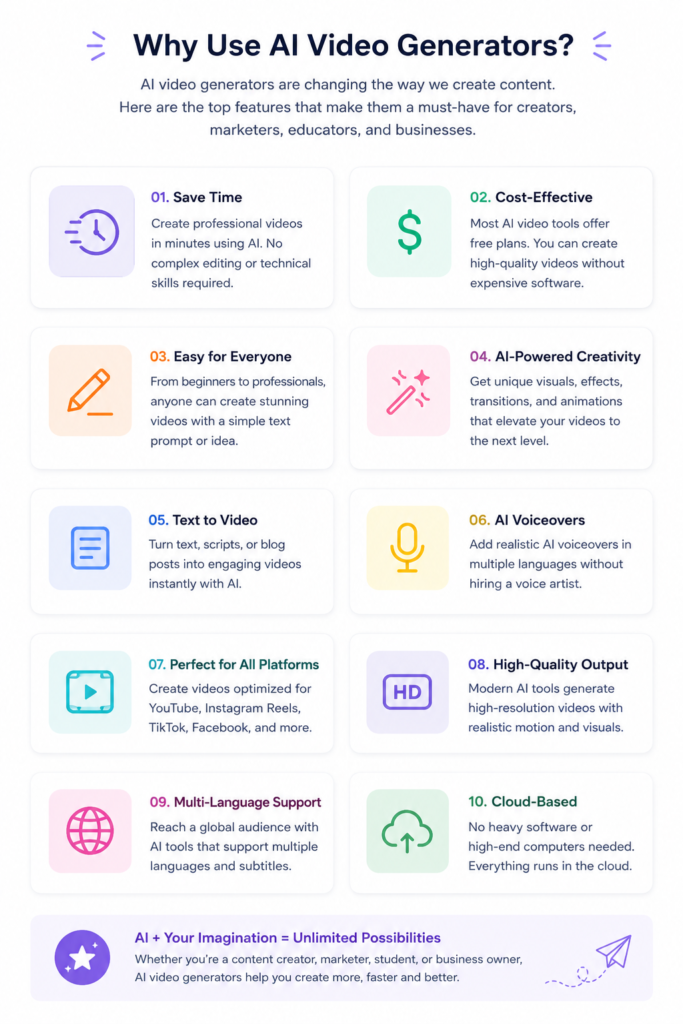
Artificial Intelligence has completely changed the way we create videos. A task that once required expensive editing software, professional designers, and hours of work can now be completed in just a few minutes with the help of AI.

Whether you’re a YouTuber, content creator, digital marketer, student, freelancer, or small business owner, AI video generators can help you turn simple text prompts into engaging videos without advanced editing skills.

The biggest challenge, however, is finding a tool that is actually free. Many platforms advertise themselves as “free AI video generators,” but once you finish creating your video, you’re greeted with a watermark or asked to upgrade to a paid plan before downloading.

If you’ve searched for “best free AI video generators without watermark,” you’ve probably experienced this frustration yourself.

To save you time, we tested some of the most popular AI video generation platforms available in 2026. In this guide, we’ll compare their free plans, watermark policies, features, strengths, and limitations so you can choose the right tool for your needs.

Whether you’re creating YouTube videos, Instagram Reels, TikTok clips, marketing advertisements, or educational content, this list has something for everyone.

Quick Comparison Table

AI Tool Free Plan Watermark Best For
Google Gemini Yes Limited exports may vary AI video prompts & creative assistance
Kling AI Yes Free plan available Cinematic AI videos
Pika Yes Limited free generation Short AI animations
Luma Dream Machine Yes Limited Realistic AI videos
Hailuo AI Yes Limited Viral short-form videos
PixVerse AI Yes Limited Social media content
Runway Yes Yes on free exports Professional creators
InVideo AI Yes Yes on free exports Marketing videos
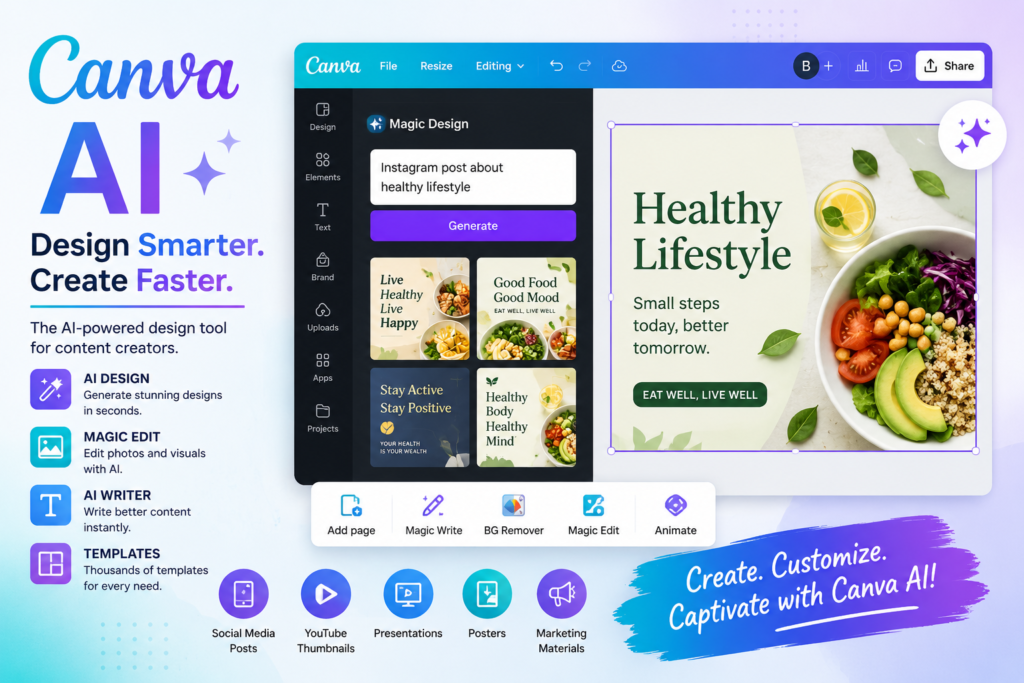
Canva AI Yes Depends on assets used Beginners
VEED AI Yes Yes on free exports Quick editing

Note: Free plans, watermark policies, export limits, and available features may change over time. Always check the official pricing or plans page of each AI video generator before using it for commercial or professional projects.

What Is an AI Video Generator?

An AI video generator is a tool that uses artificial intelligence to create videos from text prompts, images, scripts, or existing content. Instead of manually editing every scene, AI automates much of the creative process.

For example, you can simply type a prompt like:

“A futuristic city at sunset with flying cars and cinematic lighting.”

Within minutes, an AI video generator can produce a short animated clip based on your description.

Modern AI video tools can also:

  • Generate realistic visuals from text
  • Add AI voiceovers
  • Create subtitles automatically
  • Produce social media videos
  • Turn blog posts into videos
  • Generate B-roll footage
  • Create product advertisements
  • Make explainer videos

This technology has become especially popular among YouTubers, marketers, educators, and businesses looking to create professional-looking videos quickly.

How We Selected These AI Video Generators

There are dozens of AI video tools available today, but not all of them deserve a place on this list.

Instead of simply collecting popular names, we focused on the features that matter most to creators.

Here are the criteria we used while evaluating each platform:

Free Plan Availability

The tool should allow users to create videos without paying upfront.

Watermark Policy

We checked whether videos generated using the free plan include a visible watermark or whether clean exports are available under certain conditions.

Video Quality

We considered overall output quality, including realism, motion, visual consistency, and resolution.

Ease of Use

A good AI video generator should be beginner-friendly while still offering enough flexibility for experienced creators.

Best Use Cases

Some tools are better for cinematic storytelling, while others excel at creating short-form content for platforms like Instagram Reels, TikTok, and YouTube Shorts. We’ve highlighted the strengths of each tool so you can find the one that matches your workflow.

Top free AI video generator tools without watermark for content creators in 2026

1. Google Gemini

Google Gemini has evolved far beyond being just an AI chatbot. It can now assist creators with video planning, script writing, scene generation, storyboard creation, and prompt engineering for AI video models.

While Gemini itself isn’t a traditional video editor, it works exceptionally well alongside Google’s latest AI video technologies, helping creators build detailed prompts that produce more accurate and visually appealing results.

If you’re struggling to write effective prompts for cinematic videos, Gemini can significantly improve your workflow.

Best Features

  • Generates detailed video prompts
  • Helps write YouTube scripts
  • Creates storyboards
  • Assists with marketing videos
  • Excellent for brainstorming creative ideas
  • Easy integration with Google’s AI ecosystem

Pros

  • Free to use
  • Excellent prompt generation
  • Beginner-friendly interface
  • Ideal for content planning
  • Supports multiple creative tasks beyond video

Cons

  • Doesn’t function as a complete standalone AI video editor
  • Advanced video generation capabilities may depend on other Google AI services

Best For

Content creators, bloggers, YouTubers, marketers, and beginners who want help generating ideas and high-quality prompts before creating videos.

2. Kling AI

Kling AI has become one of the most talked-about AI video generation platforms thanks to its ability to create realistic, cinematic videos from simple text prompts.

Many creators use Kling AI for storytelling, product advertisements, travel visuals, fantasy scenes, and social media content because of its impressive motion quality and realistic character animations.

Although the free plan has usage limits, it’s still a great way to explore what the platform can do before considering a paid subscription.

Best Features

  • Text-to-video generation
  • Image-to-video conversion
  • Realistic cinematic motion
  • High-quality visual effects
  • Suitable for social media and marketing content

Pros

  • Impressive visual quality
  • Easy-to-use interface
  • Great for cinematic scenes
  • Produces smooth animations

Cons

  • Daily generation limits on the free plan
  • Rendering can take longer during peak usage

Best For

Creators looking to produce eye-catching AI videos for YouTube, Instagram Reels, and short-form storytelling.

3. Pika

Pika has quickly become one of the most popular AI video generators among creators who want to transform simple ideas into engaging animations. Its clean interface and fast rendering make it especially appealing to beginners.

One of Pika’s biggest strengths is its ability to generate short cinematic clips that work well for Instagram Reels, YouTube Shorts, and TikTok videos.

Best Features

  • Text-to-video generation
  • Image-to-video conversion
  • AI camera movements
  • Cinematic effects
  • Multiple animation styles

Pros

  • Beginner-friendly interface
  • Fast rendering
  • High-quality animations
  • Excellent for short-form content

Cons

  • Free credits are limited
  • Some advanced features require a paid subscription

Best For

Creators making Instagram Reels, YouTube Shorts, and short promotional videos.


4. Luma Dream Machine

Luma Dream Machine has impressed creators with its realistic motion and smooth camera movements. Instead of producing static-looking AI videos, it focuses on making scenes feel natural and cinematic.

It works particularly well for travel videos, storytelling, product showcases, and creative social media content.

Best Features

  • Highly realistic motion
  • Smooth camera transitions
  • Text-to-video
  • Image animation
  • Cinematic output

Pros

  • Excellent video quality
  • Realistic scene generation
  • Great for storytelling
  • Easy-to-use interface

Cons

  • Limited free generations
  • Processing time can vary

Best For

Professional-looking AI videos and cinematic storytelling.

5. Hailuo AI

Hailuo AI has gained attention because of its ability to create eye-catching AI videos with minimal effort. It performs particularly well when generating creative visuals for social media.

Its prompt understanding has improved significantly, making it easier for beginners to create attractive videos.

Best Features

  • AI text-to-video
  • Creative visual styles
  • Fast video generation
  • Social media optimization

Pros

  • Easy to use
  • Good animation quality
  • Beginner friendly
  • Fast rendering

Cons

  • Free usage limits
  • Advanced features require paid plans

Best For

Instagram creators, marketers, and influencers.

6. PixVerse AI

PixVerse AI is another rapidly growing platform designed for creators who want visually appealing AI-generated videos.

The platform offers multiple animation styles and produces videos suitable for YouTube Shorts, TikTok, and Instagram.

Best Features

  • Image-to-video
  • Text-to-video
  • Creative transitions
  • AI animation

Pros

  • Modern interface
  • High-quality videos
  • Simple workflow

Cons

  • Credit-based free plan
  • Some exports have restrictions

Best For

Short-form content creators.

7. Runway

Runway remains one of the most advanced AI creative platforms available today. Unlike many beginner-focused tools, Runway offers professional editing capabilities alongside AI video generation.

It’s widely used by filmmakers, agencies, and advanced creators.

Best Features

  • AI video editing
  • Object removal
  • Green screen
  • Motion tracking
  • Text-to-video

Pros

  • Professional features
  • Excellent editing tools
  • High-quality output

Cons

  • Learning curve for beginners
  • Watermark on many free exports
  • Premium plans unlock most advanced features

Best For

Professional creators and video editors.

8. Canva AI

Most people know Canva for graphic design, but its AI-powered video tools have become increasingly useful for beginners.

You can create presentations, promotional videos, social media reels, and business videos with minimal editing experience.

Best Features

  • Drag-and-drop editing
  • AI Magic Media
  • Ready-made templates
  • Stock library
  • AI text generation

Pros

  • Extremely beginner friendly
  • Huge template library
  • Easy collaboration
  • Perfect for business videos

Cons

  • Some premium assets require Canva Pro
  • Free exports may be limited depending on the assets used

Best For

Students, educators, freelancers, and small businesses.

9. InVideo AI

InVideo AI focuses on helping users convert ideas into complete videos quickly. Simply enter a topic or script, and the platform automatically creates scenes, adds stock footage, subtitles, and background music.

Best Features

  • Script-to-video
  • AI voiceovers
  • Automatic subtitles
  • Stock footage integration

Pros

  • Saves hours of editing
  • Beginner friendly
  • Large media library

Cons

  • Watermark on free exports
  • Limited AI credits

Best For

YouTube creators and marketing teams.

10. VEED AI

VEED AI combines AI generation with a simple online video editor.

If your workflow includes captions, translations, screen recordings, and quick edits, VEED AI is a practical choice.

Best Features

  • AI subtitles
  • Video editing
  • AI avatars
  • Screen recorder
  • Text-to-video

Pros

  • Easy editing
  • Great subtitle generation
  • Browser-based

Cons

  • Watermark on free exports
  • Premium plans unlock better export options

Best For

Business presentations, tutorials, and educational videos.

Which AI Video Generator Is Best?

Which AI Video Generator Is Best?

The best AI video generator depends on your specific needs. Here’s a quick comparison to help you choose the right tool:

Purpose Recommended Tool
Cinematic Videos Kling AI
Realistic AI Videos Luma Dream Machine
Short Animations Pika
Marketing Videos InVideo AI
Beginners Canva AI
Professional Editing Runway
Prompt Writing Google Gemini
Instagram Reels PixVerse AI
YouTube Shorts Hailuo AI
Business Videos VEED AI

Frequently Asked Questions

Which is the best free AI video generator without watermark?

There isn’t a single tool that offers unlimited watermark-free exports on a completely free plan. Many platforms provide free credits or limited clean exports, while others add watermarks unless you upgrade. Always review the latest pricing and export policies before using a tool for commercial work.

Yes. Modern AI tools can create videos from simple text prompts, scripts, or images.

Kling AI, Runway, InVideo AI, and Luma Dream Machine are popular choices, depending on whether you need cinematic clips, editing features, or fast script-to-video creation.

Yes. Platforms like Canva AI, Google Gemini, and Pika are designed with beginner-friendly interfaces and templates.

It depends on the tool’s license and subscription plan. Always review the platform’s terms of use before using AI-generated content for business or client work.

Final Verdict

AI video generators have made professional-looking video creation more accessible than ever. Whether you’re creating YouTube videos, Instagram Reels, marketing campaigns, or educational content, there’s an AI tool that can simplify your workflow.

Rather than choosing the “best” platform overall, focus on the one that fits your specific needs. Beginners may prefer Canva AI or Google Gemini for planning and content creation, while creators seeking cinematic visuals might lean toward Kling AI or Luma Dream Machine. If advanced editing is your priority, Runway remains a strong option.

Before committing to any platform, test its free plan and check the latest export limits and watermark policies. Many services update their pricing and features regularly, so a quick review of the official documentation can help you avoid surprises.

As AI video technology continues to evolve, creators can expect even better quality, faster generation times, and more powerful editing features in the years ahead. By experimenting with different tools, you’ll discover the one that best matches your creative style and production goals.

Leave a Reply

Your email address will not be published. Required fields are marked *

Sony RX10 V: Expected Launch Date, Price, Features & Everything We Know So Far (2026)

Last Updated: July 2026

If you've been following Sony's premium camera lineup, you've probably noticed one question popping up more often lately: Is the Sony RX10 V finally on its way?

Interest in the camera has grown rapidly over the past few days, making it one of the most searched photography topics online. That's not surprising. The Sony RX10 IV, released several years ago, is still considered one of the best bridge cameras ever made. Naturally, photographers, wildlife enthusiasts, and content creators are eager to see what Sony might have planned next.

But here's the reality: Sony has not officially announced the RX10 V yet.

That hasn't stopped the photography community from speculating. Industry discussions, user forums, and search trends suggest that many people expect Sony to refresh its RX10 series with modern autofocus technology, improved video performance, and a faster image processor.

In this article, we'll separate confirmed information from expectations, explore the most talked-about rumored features, discuss the possible launch timeline, and explain whether it's worth waiting for the RX10 V or buying the RX10 IV today.


Why Is Everyone Talking About the Sony RX10 V?

The excitement isn't just because people love new cameras—it's because the RX10 series has built an outstanding reputation over the years.

Unlike traditional DSLR or mirrorless cameras that require multiple lenses, the RX10 lineup offers an all-in-one solution. Its combination of a large 1-inch sensor and an impressive 24–600mm zoom lens makes it a favorite among photographers who want versatility without carrying heavy gear.

Whether you're photographing wildlife in a national park, covering a sporting event, filming travel documentaries, or creating YouTube videos, the RX10 IV has remained a reliable choice for years.

However, camera technology has evolved significantly since its release. Sony has introduced advanced AI autofocus, improved image processors, better stabilization, and more powerful video capabilities in its newer Alpha cameras. Naturally, users are hoping these innovations will eventually make their way into the next RX10 model.

That's one of the biggest reasons behind the recent surge in searches for the Sony RX10 V.


Is the Sony RX10 V Officially Confirmed?

At the time of writing, the answer is no.

Sony has not released any official statement, launch teaser, or product page confirming the existence of the RX10 V. This means that any specifications, pricing, or launch dates currently circulating online should be treated as rumors or educated predictions rather than confirmed facts.

Still, the growing interest from photographers and creators suggests there's strong demand for a successor to the RX10 IV. If Sony decides to continue the series, the company would likely focus on bringing the camera in line with the technologies found in its latest imaging products.


What Can We Expect from the Sony RX10 V?

Although nothing has been officially confirmed, industry discussions point toward several upgrades that would make sense for a modern RX10 camera.

AI-Powered Autofocus

The biggest expected improvement is autofocus performance. Sony's recent cameras use AI-assisted subject recognition that can accurately track people, animals, birds, vehicles, and even insects. If the RX10 V inherits this technology, it could become an even stronger choice for wildlife and sports photographers.

Enhanced Video Recording

Video creators are also hoping for meaningful upgrades. While the RX10 IV already delivers excellent image quality, users now expect smoother 4K recording, improved slow-motion performance, better color science, and enhanced stabilization for handheld shooting.

Next-Generation Image Processor

Another likely improvement is processing power. Sony's newer BIONZ XR processor has significantly boosted speed and efficiency in recent camera models. Bringing that processor to the RX10 V could improve autofocus speed, reduce image processing time, and extend battery life.

Signature 24–600mm Zoom Lens

Finally, photographers are hoping Sony retains one of the RX10 series' biggest strengths: its versatile 24–600mm zoom lens. Rather than redesigning the lens completely, Sony may choose to refine its optics while improving overall image quality through better processing and autofocus.


What Makes the RX10 Series So Popular?

The Sony RX10 lineup has always stood out because it bridges the gap between compact cameras and interchangeable-lens systems. Instead of carrying multiple lenses, users get an extensive zoom range in a single weather-sealed body.

For travel photographers, bird watchers, vloggers, and outdoor creators, this convenience is often more valuable than switching lenses in challenging environments. That's why many photographers continue to recommend the RX10 IV even years after its release.

If Sony launches the RX10 V with modern autofocus and video improvements while maintaining the same philosophy, it could once again become one of the most versatile bridge cameras on the market.

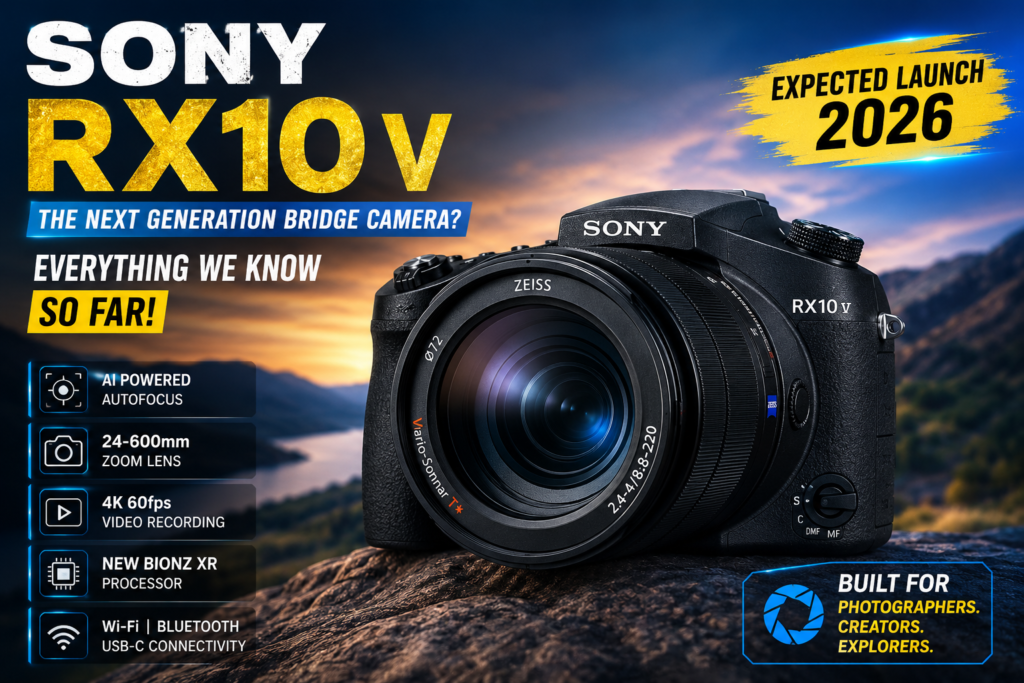
Sony RX10 V camera expected price, specifications, and launch date 2026

Expected Sony RX10 V Specifications

Although Sony has remained silent about the RX10 V, photography enthusiasts have been discussing what the next-generation bridge camera could offer. Based on Sony's recent camera releases and industry expectations, here's what users are hoping to see.

Feature Expected Details
Sensor 1-inch Exmor RS CMOS Sensor
Resolution Around 20 MP
Image Processor Sony BIONZ XR
Lens ZEISS Vario-Sonnar T* 24–600mm
Optical Zoom 25x
Video Recording 4K at higher frame rates
Autofocus AI-powered Real-Time Subject Recognition
Image Stabilization Optical SteadyShot
Display Fully Articulating Touchscreen
Connectivity Wi-Fi, Bluetooth, USB-C

It's important to remember that these specifications are based on expectations and industry discussions. Sony has not officially confirmed any hardware details at the time of writing.


Expected Launch Date

One of the biggest questions surrounding the Sony RX10 V is when it will actually launch.

So far, Sony has not announced an official release date or even hinted that the camera is in development. However, the recent spike in online searches and discussions has reignited speculation within the photography community.

If Sony decides to introduce a successor to the RX10 IV, many enthusiasts believe it could happen during one of the company's future product launch events. Until then, any launch timeline should be considered speculative rather than confirmed.

If you're planning to purchase a premium bridge camera, it may be worth keeping an eye on Sony's official announcements over the coming months.


Expected Price in India

Since Sony hasn't announced the camera yet, there is no official pricing available.

However, considering the RX10 IV's premium positioning and the expected hardware upgrades, many industry observers believe the Sony RX10 V could launch in India at a price between ₹1.6 lakh and ₹1.9 lakh.

If Sony introduces significant improvements in autofocus, video recording, and processing power, the final price could even exceed these estimates.

As always, the actual retail price will only be known once Sony officially unveils the camera.


Sony RX10 V vs Sony RX10 IV

The RX10 IV remains one of the most capable bridge cameras available today. If Sony launches the RX10 V, users can expect several meaningful improvements rather than a complete redesign.

Feature Sony RX10 IV Sony RX10 V (Expected)
Processor BIONZ X BIONZ XR
Autofocus Fast Hybrid AF AI Subject Recognition AF
Video 4K UHD Enhanced 4K Recording
Display Tilting LCD Fully Articulating Touchscreen
Connectivity Wi-Fi Wi-Fi + Bluetooth + USB-C
Battery Efficiency Good Expected to Improve

For photographers already using the RX10 IV, the biggest reason to upgrade would likely be faster autofocus, improved video capabilities, and a more modern user experience.


Who Should Consider the Sony RX10 V?

If the rumored upgrades become reality, the Sony RX10 V could appeal to a wide range of users.

It may be an excellent option for:

  • Wildlife photographers who need a long zoom lens without carrying multiple lenses.
  • Travel photographers looking for a lightweight all-in-one camera.
  • Sports photographers who require fast autofocus.
  • YouTubers and vloggers who want professional image quality in a compact body.
  • Nature enthusiasts who frequently shoot birds and distant subjects.

The RX10 series has always been about versatility, and that's likely to remain one of its biggest strengths.


Should You Wait for the Sony RX10 V?

The answer depends on your current needs.

If you already own the RX10 IV and you're happy with its performance, waiting for Sony to make an official announcement could be a smart decision. A newer processor, AI autofocus, and updated video features may justify the upgrade.

On the other hand, if you need a camera immediately, the RX10 IV is still a highly capable option. Despite its age, it continues to deliver excellent image quality, impressive zoom performance, and reliable autofocus for most photography scenarios.

Ultimately, the decision comes down to whether you need a camera today or are willing to wait for a product that hasn't yet been officially announced.


Frequently Asked Questions (FAQs)

Is the Sony RX10 V officially announced?

No. Sony has not officially announced the RX10 V at the time of writing.

What is the expected launch date of the Sony RX10 V?

Sony has not confirmed a launch date. Any timelines currently discussed online are based on speculation and community expectations.

What could be the expected price of the Sony RX10 V in India?

Industry estimates suggest a possible price between ₹1.6 lakh and ₹1.9 lakh, but Sony has not confirmed any pricing.

Will the Sony RX10 V support 4K video recording?

Most expectations suggest that it will offer enhanced 4K recording capabilities, although no official specifications have been released.

Is the Sony RX10 V suitable for wildlife photography?

If it retains the RX10 series' long zoom lens and receives Sony's latest autofocus technology, it could become an excellent choice for wildlife photography.


Final Verdict

The Sony RX10 V has generated significant excitement among photographers, content creators, and camera enthusiasts, even before any official announcement. That's a testament to the strong reputation the RX10 series has built over the years.

While rumors point toward upgrades such as AI-powered autofocus, a faster image processor, and improved video performance, it's important to remember that Sony has not confirmed these details. Until the company makes an official announcement, all specifications and launch expectations should be treated as unofficial.

If Sony does introduce the RX10 V with meaningful improvements while preserving the versatility that made the RX10 IV so popular, it could once again become one of the best premium bridge cameras on the market.

For now, the best approach is to stay tuned to Sony's official updates and avoid relying solely on rumors. When confirmed information becomes available, this article will be updated accordingly.

Leave a Reply

Your email address will not be published. Required fields are marked *

How to Speed Up a Slow Android Phone Without Resetting It (2026)

Has your Android phone become frustratingly slow? Do apps take forever to open, games lag unexpectedly, or does your phone freeze while switching between tasks? You’re not alone. Over time, even high-end Android smartphones can start to feel sluggish as storage fills up, background apps consume memory, and cached files accumulate.

The good news is that you don’t need to perform a factory reset to make your phone faster. In many cases, a few simple maintenance steps can significantly improve performance while keeping all your apps, photos, and personal data safe.

In this guide, you’ll learn how to speed up a slow Android phone without resetting it using practical methods that work for most Android devices, including Samsung, Xiaomi, OnePlus, Motorola, Realme, Vivo, Oppo, Google Pixel, and others.

Whether you’re using a budget phone that’s slowing down or a flagship device that isn’t performing as it used to, these proven tips can help restore speed and improve your overall experience.

Before fixing the problem, it’s important to understand what causes an Android phone to slow down. Contrary to popular belief, it isn’t always the phone’s age. In many cases, everyday usage habits gradually reduce performance.

Some of the most common reasons include:

  • Storage is almost full.
  • Too many apps are running in the background.
  • Large amounts of cached data have accumulated.
  • The phone hasn’t been restarted for weeks.
  • Outdated software is affecting performance.
  • Unused apps continue consuming resources.
  • Malware or suspicious apps are running in the background.
  • Low available RAM due to heavy multitasking.

The good news is that most of these issues can be fixed in just a few minutes without deleting your important files.

How to Speed Up a Slow Android Phone Without Resetting It (2026 Guide)

1. Check Your Available Storage

One of the biggest reasons an Android phone slows down is insufficient free storage. When internal storage is nearly full, the operating system has less space to manage temporary files and app data efficiently, which can lead to slower performance.

How to Check Storage

  1. Open Settings.
  2. Tap Storage (or Device Care on some phones).
  3. Check how much free space is available.

How Much Free Space Should You Keep?

For smooth performance, try to keep at least 15–20% of your internal storage free. For example:

  • 128GB phone → Keep around 20–25GB free.
  • 256GB phone → Keep around 40GB free.

Tips to Free Up Storage

  • Delete duplicate photos and videos.
  • Remove old downloads.
  • Uninstall apps you no longer use.
  • Move large files to cloud storage.
  • Clear cached files from apps.

Keeping enough free storage allows Android to run more smoothly and can noticeably improve your phone’s speed.

2. Remove Apps You No Longer Use

Many users install apps, use them once or twice, and forget about them. Even if you rarely open these apps, some continue running background processes, syncing data, and consuming storage.

Removing unused apps is one of the easiest ways to improve performance.

How to Uninstall Unused Apps

  1. Open Settings.
  2. Go to Apps.
  3. Review your installed applications.
  4. Tap an app you no longer need.
  5. Select Uninstall.

Prioritize Removing

  • Duplicate photo editors
  • Unused games
  • Shopping apps you rarely open
  • Trial apps
  • Pre-installed apps (where removable)

A cleaner app list means fewer background activities, lower memory usage, and faster overall performance.

3. Clear App Cache Regularly

Apps create cache files to load content more quickly. While cache improves speed initially, excessive cached data can become outdated or corrupted over time, causing apps to behave sluggishly.

Clearing the cache does not delete your personal files or accounts.

Steps to Clear Cache

  1. Open Settings.
  2. Tap Apps.
  3. Select an app (such as Chrome, Instagram, or YouTube).
  4. Choose Storage.
  5. Tap Clear Cache.

Focus on apps that store large amounts of temporary data, such as browsers, social media platforms, and streaming apps.

4. Restart Your Android Phone Regularly

Many people keep their phones running for weeks without restarting them. A simple restart can clear temporary memory, stop unnecessary background processes, and refresh system resources.

Restarting your phone once every few days can help improve responsiveness, especially if you frequently switch between apps or play games.

Benefits of Restarting

  • Frees up RAM
  • Closes stuck background processes
  • Resolves minor software glitches
  • Improves app responsiveness
  • Helps the operating system run more efficiently

It may seem like a small step, but it’s one of the quickest ways to give your Android phone a fresh start without losing any data.

Many users ignore software updates because they assume updates only add new features. In reality, Android updates often include important performance improvements, security patches, bug fixes, and battery optimizations that can make your phone feel faster and more stable.

If your device is running an outdated version of Android, updating it may solve lag, app crashes, and slow response times.

How to Check for Updates

  1. Open Settings.
  2. Scroll down and tap Software Update or System Update.
  3. Tap Check for Updates.
  4. Download and install any available updates.

Benefits of Updating Your Phone

  • Improved system stability
  • Better battery optimization
  • Faster app performance
  • Security improvements
  • Bug fixes
  • Compatibility with the latest apps

6. Disable Background Apps

Many apps continue running in the background even after you’ve closed them. These apps consume RAM, battery, internet data, and processor resources, making your Android phone slower over time.

Reducing unnecessary background activity can noticeably improve your phone’s speed.

How to Limit Background Apps

  1. Open Settings.
  2. Go to Apps.
  3. Select the app.
  4. Tap Battery.
  5. Choose Restricted or Optimized (if available).

You can also disable background activity for apps you rarely use.

Apps That Often Run in the Background

  • Shopping apps
  • Food delivery apps
  • Social media apps
  • News apps
  • Fitness trackers
  • Weather apps

Restricting these apps can free up valuable system resources.

Android animations make the interface look smooth, but they also require processing power. Reducing or disabling animations can make your phone feel much faster, especially on budget and older devices.

Although the hardware doesn’t become more powerful, shorter animations make the system appear more responsive.

How to Reduce Animation Speed

First, enable Developer Options.

  1. Open Settings.
  2. Go to About Phone.
  3. Tap Build Number seven times.
  4. Enter your PIN if prompted.

Now reduce animation scales:

  1. Open Developer Options.
  2. Find:
    • Window Animation Scale
    • Transition Animation Scale
    • Animator Duration Scale
  3. Change each value from 1x to 0.5x.

Some advanced users disable animations completely, but 0.5x usually provides the best balance between speed and visual appeal.

8. Use Lite Versions of Popular Apps

Use Lite Versions of Popular Apps

Many popular apps consume significant RAM and storage. If your phone has limited hardware, switching to lightweight versions can improve performance without sacrificing essential features.

Examples of Lite Apps

Regular App Lite Alternative
Facebook Facebook Lite
Messenger Messenger Lite (where available)
Google Maps Google Maps Go
YouTube YouTube Go (where supported)
Gmail Gmail Go

Lite apps typically:

  • Use less RAM
  • Consume less storage
  • Require less mobile data
  • Start faster
  • Perform better on entry-level devices

If your phone has 3GB or 4GB of RAM, Lite apps can make a noticeable difference in overall performance and responsiveness.

9. Free Up RAM

RAM (Random Access Memory) allows your phone to run multiple apps simultaneously. When RAM becomes overloaded, Android may start closing apps or slowing down to manage resources.

Freeing up RAM helps your phone multitask more efficiently.

Easy Ways to Free RAM

  • Close apps you’re not using.
  • Restart your phone regularly.
  • Remove unnecessary widgets.
  • Disable background apps.
  • Avoid opening too many browser tabs.
  • Uninstall apps that constantly consume memory.

Modern Android devices manage RAM automatically, so avoid installing “RAM Booster” apps, as they often do more harm than good.

10. Avoid Live Wallpapers and Too Many Widgets

Live wallpapers and excessive home screen widgets continuously use CPU, GPU, and battery resources.

While they may look attractive, they can reduce performance, especially on older Android phones.

For Better Performance

  • Use a static wallpaper.
  • Remove unused widgets.
  • Keep only essential widgets, such as:
    • Clock
    • Weather
    • Calendar

A cleaner home screen reduces background activity and helps your device feel more responsive.

11. Check for Malware and Suspicious Apps

If your Android phone suddenly becomes slow, displays unexpected ads, or drains battery quickly, malicious software could be the cause.

Installing apps from unknown websites increases the risk of malware.

Signs Your Phone May Have Malware

  • Frequent pop-up ads
  • Random app installations
  • Battery draining unusually fast
  • Phone overheating
  • Apps crashing repeatedly
  • High data usage without explanation

How to Stay Safe

  • Download apps only from the Google Play Store.
  • Remove suspicious apps immediately.
  • Enable Google Play Protect.
  • Avoid clicking unknown links.
  • Review app permissions regularly.

Keeping your device secure also helps maintain smooth performance.

12. Monitor Battery Health

A degraded battery can sometimes affect your phone’s performance. Some manufacturers automatically reduce processor speed when battery health declines to prevent unexpected shutdowns.

Signs Your Battery May Need Replacement

  • Battery drains very quickly.
  • Phone shuts down unexpectedly.
  • Device becomes excessively hot.
  • Charging takes much longer than before.

If your phone is several years old and the battery is significantly worn out, replacing it through an authorized service center can improve both battery life and overall performance.

Quick Checklist to Speed Up Your Android Phone

Keep at least 15–20% storage free
✔ Remove unused apps regularly
✔ Clear app cache every few weeks
✔ Restart your phone every few days
✔ Install the latest Android updates
✔ Restrict unnecessary background apps
✔ Reduce animation speed to 0.5x
✔ Use Lite apps on low-end devices
✔ Keep your home screen clean
✔ Download apps only from trusted sources

13. Disable Auto-Sync for Unnecessary Accounts

Auto-sync is useful because it keeps your emails, contacts, calendars, and app data updated automatically. However, syncing too many accounts at the same time can consume RAM, CPU resources, battery, and internet bandwidth, especially on older Android devices.

If your phone feels slow, consider disabling sync for accounts or apps you rarely use.

How to Turn Off Auto-Sync

  1. Open Settings.
  2. Tap Passwords & Accounts or Accounts.
  3. Select an account.
  4. Disable syncing for services you don’t need.

For example, if you don’t use Google Fit or Google Calendar, you can stop syncing them without affecting other services like Gmail.

14. Keep Your Home Screen Clean

Many users fill their home screen with widgets, shortcuts, and animated wallpapers. While these features look attractive, they constantly consume system resources.

A cleaner home screen can improve responsiveness and reduce battery consumption.

Best Practices

  • Remove unnecessary widgets.
  • Keep only frequently used apps.
  • Avoid animated wallpapers.
  • Organize apps into folders.
  • Use a simple wallpaper instead of live backgrounds.

A minimalist home screen often feels much smoother, especially on entry-level smartphones.

15. Avoid Fake Phone Cleaner Apps

One common mistake Android users make is installing multiple “Phone Booster,” “RAM Cleaner,” or “Speed Booster” apps.

Most modern Android phones already include intelligent memory management. Third-party cleaner apps often run continuously in the background, using the very resources they claim to save.

Avoid Apps That Promise

  • One-tap speed boost
  • Instant RAM increase
  • Battery charging acceleration
  • CPU overclocking
  • Unlimited performance improvement

Instead, rely on Android’s built-in optimization tools available under Device Care, Battery, or Storage, depending on your phone brand.

Common Mistakes That Make Android Phones Slow

Many performance issues are caused by everyday habits. Avoiding these common mistakes can help keep your phone running smoothly.

Common Mistakes

  • Installing too many apps
  • Ignoring software updates
  • Keeping storage almost full
  • Never restarting the phone
  • Running multiple heavy apps simultaneously
  • Installing apps from unknown sources
  • Using outdated SD cards
  • Keeping Bluetooth, GPS, and Wi-Fi on when not needed
  • Using live wallpapers constantly

Changing these habits can significantly improve your phone’s long-term performance.

Myths vs Facts About Speeding Up Android Phones

Myths vs Facts About Speeding Up Android Phones

Many myths about Android optimization continue to circulate online. Here’s the truth.

Myth Reality
Clearing RAM every hour makes your phone faster. Android automatically manages RAM efficiently.
Factory Reset is the only solution. Most slowdowns can be fixed without resetting the device.
Antivirus apps always make Android faster. They improve security but don’t necessarily boost speed.
Closing every app constantly saves battery. Android intelligently manages background apps on its own.
More RAM Booster apps mean better performance. Multiple RAM booster apps often slow the phone instead.

Understanding these myths helps you focus on solutions that actually improve performance instead of relying on outdated or misleading advice.

Quick Performance Checklist

Before considering a factory reset, go through this checklist:

✅ Keep 15–20% storage free

✅ Uninstall unused apps

✅ Clear app cache regularly

✅ Update Android software

✅ Restart your phone weekly

✅ Restrict unnecessary background apps

✅ Reduce animation speed

✅ Use Lite apps on low-end devices

✅ Avoid fake cleaning apps

✅ Download apps only from trusted sources

If you’ve completed these steps, your Android phone should perform noticeably better without losing any personal data.

Frequently Asked Questions (FAQs)

1. Can I speed up my Android phone without a factory reset?

Yes. In most cases, clearing cache, freeing up storage, uninstalling unused apps, updating Android, and reducing background activity can significantly improve performance without resetting your device.

A slow phone isn’t always caused by low storage. Background apps, outdated software, excessive animations, malware, or an aging battery can also reduce performance.

Yes. Clearing cache only removes temporary files. It doesn’t delete your photos, messages, or personal data, though some apps may take a little longer to load the first time afterward.

Generally, no. Android already manages memory efficiently. Many RAM booster apps continue running in the background and may actually consume additional resources.

Restarting your phone once every few days—or at least once a week—helps clear temporary memory, stop stuck background processes, and keep the system running smoothly.

Final Verdict

If your Android phone has become slow, you don’t need to rush into performing a factory reset. Most performance issues can be resolved with simple maintenance steps such as freeing up storage, uninstalling unused apps, clearing cache, limiting background activity, and keeping your software updated.

The best part is that these methods preserve your apps, photos, contacts, and other important data while improving your phone’s responsiveness.

By following the tips in this guide, you can extend your phone’s lifespan, enjoy smoother multitasking, and get better overall performance without spending money on a new device.

Whether you’re using a Samsung Galaxy, Xiaomi, Realme, Vivo, Oppo, Motorola, OnePlus, Google Pixel, or another Android phone, these optimization techniques are practical, beginner-friendly, and effective.

Pro Tip: Make it a habit to clean up your phone once every month. A few minutes of regular maintenance can keep your Android device running fast for years.

Leave a Reply

Your email address will not be published. Required fields are marked *

Samsung Galaxy Z Fold 8: Everything We Know So Far

Samsung continues to lead the foldable smartphone market, and every new Galaxy Z Fold launch brings noticeable improvements in design, durability, and performance. After the success of the previous Fold series, smartphone enthusiasts are already looking forward to the Samsung Galaxy Z Fold 8.

Although Samsung has not officially announced the device yet, several reports and industry leaks suggest that the upcoming foldable phone could introduce a slimmer design, a more powerful processor, better cameras, improved battery efficiency, and smarter Galaxy AI features.

If you’re planning to upgrade to a premium foldable smartphone in 2026, this guide covers the Samsung Galaxy Z Fold 8 expected launch date, price, specifications, and latest leaks to help you understand what the next-generation Galaxy Fold might offer.


Samsung Galaxy Z Fold 8 Overview

The Samsung Galaxy Z Fold 8 is expected to be Samsung’s most advanced foldable smartphone yet. Building on previous Fold models, Samsung is likely to focus on making the device thinner, lighter, and more durable while enhancing multitasking and AI-powered productivity.

The Galaxy Z Fold series has always targeted users who want a phone and tablet experience in a single device. With a large foldable display and premium hardware, the Galaxy Z Fold 8 is expected to appeal to professionals, creators, gamers, and tech enthusiasts.

Expected Highlights

  • Larger AMOLED foldable display
  • Slimmer and lighter design
  • Snapdragon flagship processor
  • Galaxy AI features
  • Better multitasking experience
  • Improved battery optimization
  • Advanced camera system
  • Enhanced durability

These improvements could make the Galaxy Z Fold 8 one of the most premium Android smartphones of 2026.


Samsung Galaxy Z Fold 8 Expected Launch Date

Samsung usually unveils its foldable smartphones during its annual Galaxy Unpacked event.

Based on Samsung’s previous launch schedule, the Samsung Galaxy Z Fold 8 is expected to launch between July and August 2026.

Although Samsung has not officially confirmed the date, industry analysts expect the company to maintain its yearly launch cycle.

Expected Timeline

EventExpected Date
Galaxy Unpacked EventJuly–August 2026
Official AnnouncementJuly–August 2026
Pre-Orders BeginSame Week
Global SaleAugust 2026
India LaunchAugust 2026

Indian customers can expect the device to become available shortly after the global launch.


Samsung Galaxy Z Fold 8 Expected Price in India

Samsung’s Fold series has always been positioned in the ultra-premium smartphone segment. Considering the advanced foldable display, flagship processor, and premium materials, the Galaxy Z Fold 8 is expected to carry a premium price tag.

Expected Price

VariantExpected Price
256GB₹1,69,999
512GB₹1,79,999
1TB₹1,99,999

The final pricing may vary depending on taxes, import duties, and storage configurations announced at launch.


Premium Design with Better Durability

Samsung has consistently refined the Galaxy Z Fold design with every generation. The Galaxy Z Fold 8 is expected to feature a slimmer profile, reduced display crease, and stronger hinge mechanism, making it more comfortable for everyday use.

Expected Design Improvements

  • Slimmer body
  • Lighter weight
  • Stronger Armor Aluminum frame
  • Improved Flex Hinge
  • Reduced screen crease
  • Better dust and water resistance
  • Gorilla Glass Victus protection
  • New premium color options

These refinements could make the device easier to carry while improving durability over previous Fold models.

Samsung Galaxy Z Fold 8 – Expected Launch Date, Price & Specifications (2026)

Stunning Foldable Dynamic AMOLED Display

One of the biggest reasons people choose Samsung’s Fold series is its unique foldable display. The Samsung Galaxy Z Fold 8 is expected to feature an improved Dynamic AMOLED 2X display with better brightness, smoother scrolling, and enhanced durability.

Reports suggest Samsung may reduce the visibility of the display crease while making the inner screen stronger for long-term use.

Expected Display Specifications

FeatureExpected Details
Main Display8.0-inch Dynamic AMOLED 2X
Cover Display6.5-inch AMOLED
Refresh Rate120Hz Adaptive
Peak BrightnessUp to 2,800 nits (Expected)
HDR SupportHDR10+
ProtectionGorilla Glass Victus 3 (Expected)

The larger inner display makes multitasking effortless. Whether you’re editing documents, watching movies, gaming, or attending video meetings, the Galaxy Z Fold 8 is expected to provide a tablet-like experience in a pocket-sized device.


Snapdragon Flagship Processor for Powerful Performance

Samsung is expected to power the Samsung Galaxy Z Fold 8 with the latest Snapdragon flagship processor, delivering faster performance, better graphics, and improved battery efficiency.

The next-generation chipset is likely to offer:

  • Faster app launching
  • Smooth multitasking
  • Better gaming performance
  • Improved AI processing
  • Lower power consumption
  • Faster image processing

Whether you’re running multiple apps simultaneously or editing high-resolution videos, the Galaxy Z Fold 8 is expected to handle demanding tasks with ease.


RAM and Storage Options

Samsung usually equips its Fold series with flagship-level memory and storage configurations.

Expected Variants

StorageRAMBest For
256GB12GBEveryday Users
512GB12GBProfessionals
1TB16GB (Expected)Content Creators & Power Users

The higher RAM capacity is expected to improve multitasking, allowing users to switch between multiple apps without performance issues.


Samsung Galaxy Z Fold 8 Camera Upgrades

Samsung has continuously improved its camera technology, and the Galaxy Z Fold 8 is expected to bring meaningful enhancements for photography and videography.

Although official specifications are still under wraps, industry leaks suggest improvements in camera sensors, zoom quality, and AI-powered image processing.

Expected Camera Setup

CameraExpected Specification
Main Camera200MP
Ultra-Wide12MP
Telephoto10MP Periscope Zoom
Front Camera12MP
Under Display CameraImproved Version

Expected Camera Features

  • Enhanced Night Photography
  • Better Portrait Mode
  • Improved Optical Zoom
  • AI Scene Optimization
  • 8K Video Recording
  • Professional Video Mode
  • Super HDR Photography
  • Faster Image Processing
  • Improved Low-Light Performance

If these upgrades arrive, the Galaxy Z Fold 8 could become one of Samsung’s best foldable phones for photography.


Longer Battery Life with Better Optimization

Battery life has improved significantly in recent Fold devices, and Samsung is expected to continue this trend.

Rather than relying only on a larger battery, Samsung is likely to focus on software optimization and a more power-efficient processor.

Expected Battery Features

  • Around 4,800–5,000mAh Battery
  • All-Day Battery Life
  • Better Standby Performance
  • AI Battery Optimization
  • Improved Heat Management
  • Adaptive Power Saving

Most users should comfortably get a full day’s usage with regular activities such as browsing, streaming, video calls, and productivity tasks.


Faster Charging Support

The Samsung Galaxy Z Fold 8 is expected to support faster charging technologies to reduce downtime.

Expected Charging Features

  • 45W Fast Wired Charging
  • Fast Wireless Charging
  • Wireless PowerShare
  • USB Type-C Charging
  • Intelligent Battery Protection
  • Adaptive Charging

These features are designed to provide convenient charging while helping extend the battery’s long-term health.


Galaxy AI Features

Artificial Intelligence is becoming one of Samsung’s biggest strengths. The Samsung Galaxy Z Fold 8 is expected to include upgraded Galaxy AI features that improve productivity, creativity, and communication.

Expected Galaxy AI Features

  • AI-powered Note Assist
  • Live Call Translation
  • AI Writing Assistant
  • Smart Photo Editing
  • Circle to Search
  • AI Wallpaper Generation
  • Automatic Meeting Summaries
  • Real-Time Language Translation
  • Intelligent Voice Recorder
  • Smart Multitasking Suggestions

These AI tools are expected to make daily tasks easier while helping users work more efficiently on the Fold’s large display.


Software Experience

The Galaxy Z Fold 8 is expected to launch with Samsung’s latest One UI, based on the newest version of Android.

Expected Software Features

  • Latest Android Version
  • One UI Optimized for Foldables
  • Multi-Window Support
  • Taskbar for Productivity
  • Drag-and-Drop Between Apps
  • Samsung DeX Support
  • Secure Folder
  • Knox Security
  • Long-Term Software Updates

Samsung has consistently improved its software experience, making foldable phones more practical for both work and entertainment.


Connectivity and Security

The Galaxy Z Fold 8 is expected to offer the latest connectivity options and advanced security features.

Expected Features

  • 5G Connectivity
  • Wi-Fi 7
  • Bluetooth 5.4
  • NFC Support
  • Ultra-Wideband (UWB)
  • Side-Mounted Fingerprint Sensor
  • Samsung Knox Security
  • Face Unlock
  • Dual SIM & eSIM Support

These features will help deliver faster connectivity, secure transactions, and better overall performance.

Samsung Galaxy Z Fold 8 vs Samsung Galaxy Z Fold 7

Samsung Galaxy Z Fold 8 vs Samsung Galaxy Z Fold 7

If you’re considering upgrading, you may wonder whether the Samsung Galaxy Z Fold 8 will offer enough improvements over its predecessor. While Samsung has not officially announced the device, current leaks suggest several refinements in design, AI capabilities, camera performance, and overall user experience.

Feature Samsung Galaxy Z Fold 7 Samsung Galaxy Z Fold 8 (Expected)
Processor Snapdragon Flagship Next-Generation Snapdragon Flagship
Main Display Dynamic AMOLED 2X Improved Dynamic AMOLED 2X
Refresh Rate 120Hz 120Hz Adaptive
Camera Triple Rear Camera Improved 200MP Camera System
Galaxy AI Available Advanced Galaxy AI Features
Battery 4,800mAh Better Battery Optimization
Charging 45W Fast Charging Improved Fast Charging
Design Slim Foldable Slimmer & More Durable Design

Key Expected Improvements

  • Slimmer and lighter body
  • Improved hinge mechanism
  • Less visible display crease
  • Better multitasking experience
  • More advanced Galaxy AI features
  • Enhanced camera performance
  • Improved battery efficiency
  • Faster overall performance

If these expected upgrades become official, the Galaxy Z Fold 8 could be one of Samsung’s biggest foldable improvements in recent years.


Who Should Buy the Samsung Galaxy Z Fold 8?

The Galaxy Z Fold 8 is expected to be ideal for users who want a premium smartphone capable of handling both work and entertainment.

This phone is perfect for:

  • Business professionals
  • Content creators
  • YouTubers
  • Mobile photographers
  • Graphic designers
  • Multitasking users
  • Mobile gamers
  • Samsung ecosystem users
  • Productivity enthusiasts

The large foldable display makes it easy to run multiple apps simultaneously, making it an excellent choice for productivity-focused users.


Who Can Skip It?

The Galaxy Z Fold 8 may not be the right choice for everyone.

You may consider skipping it if:

  • You already own the Galaxy Z Fold 7 and are satisfied with its performance.
  • You don’t need a foldable smartphone.
  • You have a limited budget.
  • You mainly use your phone for calling, messaging, and basic social media.
  • You prefer compact smartphones over larger foldable devices.

In these situations, a traditional flagship smartphone might offer better value.


Expected Pros and Cons

Pros

  • Premium foldable design
  • Large Dynamic AMOLED display
  • Powerful Snapdragon processor
  • Advanced Galaxy AI features
  • Excellent multitasking experience
  • Improved camera system
  • Long software support
  • Samsung DeX support
  • Fast charging
  • Premium build quality

Cons

  • Expected premium pricing
  • Foldable phones remain more expensive than traditional smartphones.
  • The inner display may still show a slight crease.
  • Slightly heavier than standard flagship phones.
  • Repair costs may be higher due to the foldable display.

Should You Wait for the Samsung Galaxy Z Fold 8?

If you’re planning to invest in a premium foldable smartphone in 2026, waiting for the Samsung Galaxy Z Fold 8 could be worthwhile.

You should wait if:

  • You want Samsung’s latest Galaxy AI features.
  • You need the best multitasking experience.
  • You enjoy foldable smartphone technology.
  • You want the latest Snapdragon processor.
  • You prefer owning Samsung’s newest flagship foldable.

You don’t need to wait if:

  • You need a new smartphone immediately.
  • Your current Fold device still meets your needs.
  • You prefer saving money by purchasing an older Fold model after price reductions.

Frequently Asked Questions (FAQs)

1. When will the Samsung Galaxy Z Fold 8 launch?

Samsung has not officially confirmed the launch date. Based on previous Galaxy Fold releases, the Galaxy Z Fold 8 is expected to launch during the Galaxy Unpacked event in July or August 2026.

2. What is the expected Samsung Galaxy Z Fold 8 price in India?

The expected starting price is around ₹1,69,999 for the base storage variant. The final price will depend on the official launch announcement and storage options.

3. Will the Samsung Galaxy Z Fold 8 support Galaxy AI?

Yes. According to current reports, the Galaxy Z Fold 8 is expected to include upgraded Galaxy AI features, including AI writing tools, live translation, smart photo editing, and productivity enhancements.

4. Will the Galaxy Z Fold 8 support the S Pen?

Samsung has not officially confirmed S Pen support. However, many industry reports suggest that support for the S Pen is likely to continue with the Galaxy Z Fold 8.

5. Is the Samsung Galaxy Z Fold 8 good for gaming?

Yes. With its expected flagship Snapdragon processor, 120Hz Adaptive AMOLED display, and improved cooling system, the Galaxy Z Fold 8 is expected to deliver an outstanding gaming experience.


Final Verdict

The Samsung Galaxy Z Fold 8 is shaping up to be one of the most exciting foldable smartphones of 2026. While Samsung has not officially announced the device, current leaks suggest meaningful improvements in design, performance, Galaxy AI features, camera capabilities, battery efficiency, and multitasking.

Rather than introducing a completely new concept, Samsung appears to be refining its successful Fold series with a slimmer design, a stronger hinge, improved durability, and smarter software. These enhancements could make the Galaxy Z Fold 8 an excellent choice for professionals, creators, and users who want a premium foldable experience.

If you’re using an older Galaxy Fold device or planning to switch to a foldable smartphone for the first time, the Galaxy Z Fold 8 could be worth waiting for. However, if you already own a recent Fold model and are satisfied with its performance, upgrading may depend on whether the new AI features, camera improvements, and productivity enhancements match your needs.

Leave a Reply

Your email address will not be published. Required fields are marked *

Apple launches a new iPhone every year, and every launch creates excitement among millions of users worldwide. Even before the official announcement, rumors, leaks, and industry reports begin circulating, giving us a glimpse of what Apple might introduce next.

This year, the iPhone 18 Pro Max has already become one of the most searched smartphones on the internet. Many users are curious about its expected launch date, price, camera upgrades, design improvements, battery life, and new AI-powered features.

If you’re planning to upgrade your smartphone in 2026, this guide covers everything currently known about the Apple iPhone 18 Pro Max. While Apple hasn’t officially confirmed most of these details, the information below is based on industry expectations and reliable leak trends available so far.

Apple iPhone 18 Pro Max Overview

The iPhone 18 Pro Max is expected to be Apple’s next-generation premium flagship smartphone. Apple has consistently focused on delivering a combination of powerful hardware, premium design, advanced camera technology, and long-term software support.

With every new generation, Apple introduces meaningful improvements instead of dramatic design changes. The iPhone 18 Pro Max is also expected to follow this approach by refining existing features while adding new AI-powered capabilities.

Some expected highlights include:

  • Bigger and brighter OLED display
  • Faster next-generation Apple chipset
  • Advanced AI features integrated into iOS
  • Improved camera sensors
  • Longer battery life
  • Faster charging support
  • Enhanced privacy and security

These improvements aim to provide a smoother experience for gaming, photography, video editing, productivity, and everyday use.

Apple iPhone 18 Pro Max Expected Launch Date, Price & Features (2026)

Apple iPhone 18 Pro Max Expected Launch Date

Apple usually announces its flagship iPhones during its annual September launch event. Based on the company’s previous launch schedule, the iPhone 18 Pro Max is expected to launch in September 2026.

Although Apple has not officially confirmed the release date, industry experts expect the launch timeline to remain consistent with previous years.

Expected Timeline

EventExpected Date
Official AnnouncementSeptember 2026
Pre-orders BeginSeptember 2026
First SaleSeptember 2026
India AvailabilityShortly after Global Launch

If Apple follows its traditional release cycle, Indian buyers may be able to purchase the device within a few weeks of the global launch.

Apple’s Pro Max models are positioned in the premium smartphone category, and the iPhone 18 Pro Max is expected to continue that trend.

While the official pricing has not been announced yet, industry estimates suggest the following price range.

VariantExpected Price
256GB₹1,49,900
512GB₹1,69,900
1TB₹1,89,900

The final price may vary depending on import duties, taxes, and storage options available at launch

Premium Design with Familiar Apple Finish

Apple rarely makes drastic design changes every year. Instead, the company focuses on improving durability, comfort, and premium aesthetics.

The iPhone 18 Pro Max is expected to feature a titanium frame similar to recent Pro models, offering a lightweight yet durable build.

Possible design improvements include:

  • Slimmer bezels
  • Improved Ceramic Shield protection
  • Premium matte glass finish
  • Better water and dust resistance
  • More comfortable grip
  • New color options

Apple may also reduce the size of the Dynamic Island or introduce further display refinements, although these details remain speculative until the official announcement.

Display, Performance, Camera, Battery & AI Features

Stunning Super Retina XDR OLED Display

Apple has consistently offered some of the best smartphone displays in the industry, and the iPhone 18 Pro Max is expected to continue that legacy. While Apple has not officially revealed the specifications, leaks suggest that the new model may feature an upgraded OLED panel with improved brightness, better power efficiency, and smoother visuals.

Whether you enjoy gaming, streaming Netflix, editing videos, or simply scrolling through social media, the display is expected to deliver a premium viewing experience.

Expected Display Specifications

FeatureExpected Details
Display Size6.9-inch Super Retina XDR OLED
Refresh Rate120Hz ProMotion
Peak BrightnessUp to 3,000 nits (Expected)
HDR SupportHDR10 & Dolby Vision
ProtectionCeramic Shield Glass
Always-On DisplayYes

A higher peak brightness will make the screen easier to read under direct sunlight, while the adaptive 120Hz refresh rate ensures smoother scrolling and animations without draining too much battery

Next-Generation A20 Pro Chip: Faster Than Ever

One of the biggest highlights of every new iPhone is its processor. The iPhone 18 Pro Max is expected to be powered by Apple’s upcoming A20 Pro chip, which may be built using an advanced manufacturing process for better efficiency and improved performance.

Although Apple hasn’t officially confirmed the chipset, it is expected to deliver:

  • Faster app loading
  • Better gaming performance
  • Improved battery efficiency
  • Advanced AI processing
  • Enhanced thermal management
  • Faster image processing

For users who edit 4K videos, play graphics-intensive games, or multitask frequently, the new processor could provide a noticeable performance boost over previous generations.

RAM and Storage Options

Apple generally increases RAM and storage to support new software features and professional workflows. The iPhone 18 Pro Max is expected to offer multiple storage variants, allowing users to choose according to their needs.

Expected Storage Variants

StorageBest For
256GBRegular Users
512GBContent Creators
1TBProfessional Photographers & Videographers

Rumors also suggest that Apple may include 12GB RAM in the Pro Max model, helping with multitasking, gaming, and AI-powered features.

iPhone 18 Pro Max Camera: Bigger Upgrades Expected

Apple has always focused on photography, and the iPhone 18 Pro Max is expected to introduce meaningful improvements to its camera system.

While official details are still under wraps, industry reports indicate that Apple may enhance image quality, low-light photography, zoom capabilities, and AI-powered image processing.

Expected Camera Setup

CameraExpected Specification
Main Camera48MP
Ultra-Wide48MP
TelephotoImproved Periscope Zoom
Front Camera24MP (Expected)

Expected Camera Features

  • Improved Night Mode
  • Better Portrait Photography
  • Enhanced Optical Zoom
  • Advanced Computational Photography
  • AI Image Enhancement
  • Professional Video Recording
  • Improved Cinematic Mode
  • Better Low-Light Performance
  • 8K Video Recording (Expected)

For content creators, vloggers, and photographers, these upgrades could make the iPhone 18 Pro Max one of the best camera smartphones of 2026.

Longer Battery Life

Battery life is one of the most important factors for smartphone buyers. Apple has steadily improved battery performance in recent years, and the iPhone 18 Pro Max is expected to continue this trend.

The combination of a more efficient chipset, optimized iOS, and possible battery capacity improvements may result in significantly longer screen-on time.

Expected Battery Performance

  • All-day battery life
  • Better standby efficiency
  • Reduced power consumption
  • Longer gaming sessions
  • Improved video playback time

For most users, the phone is expected to comfortably last a full day with regular usage.

Faster Charging Support

Although Apple has traditionally been conservative with charging speeds, reports suggest the company may introduce faster wired and wireless charging with the iPhone 18 Pro Max.

Expected Charging Features

  • Fast Wired Charging
  • MagSafe Wireless Charging
  • USB-C Charging Port
  • Reverse Wireless Charging (Rumored)
  • Optimized Battery Charging
  • Battery Health Protection Features

These upgrades would make charging quicker and more convenient while helping maintain long-term battery health.

Apple Intelligence and AI Features

Artificial Intelligence is expected to play a much larger role in Apple’s upcoming devices. The iPhone 18 Pro Max is likely to include enhanced Apple Intelligence features integrated directly into iOS, designed to improve productivity, communication, and everyday tasks while prioritizing user privacy.

Expected AI Features

  • AI-powered writing assistance
  • Smart email summaries
  • AI-generated message suggestions
  • Intelligent photo editing
  • Improved Siri with contextual understanding
  • Live language translation
  • AI call summaries
  • Smart notification prioritization
  • Automatic note organization
  • AI-powered image creation tools (Expected)

Unlike many cloud-based AI systems, Apple is expected to process many of these tasks directly on the device, improving speed and protecting user data.

Connectivity and Security

The iPhone 18 Pro Max is also expected to bring improvements in connectivity and security.

Expected Features

  • 5G Support
  • Wi-Fi 7
  • Bluetooth 5.4 or newer
  • Ultra Wideband (UWB)
  • Face ID
  • Emergency SOS via Satellite
  • Crash Detection
  • Advanced Privacy Controls

These features aim to deliver faster wireless performance and a safer user experience.

Many Apple users are wondering whether it’s worth upgrading from the iPhone 17 Pro Max. Although Apple hasn’t officially revealed the specifications of the iPhone 18 Pro Max, several expected improvements suggest that it could be a worthwhile upgrade, especially for power users.

Here’s a quick comparison based on current expectations and available industry reports.

Feature iPhone 17 Pro Max iPhone 18 Pro Max (Expected)
Processor A19 Pro A20 Pro
Display 6.9-inch OLED Improved 6.9-inch OLED
Refresh Rate 120Hz 120Hz ProMotion
Main Camera 48MP Improved 48MP Sensor
AI Features Apple Intelligence Advanced AI Features
Battery Excellent Improved Efficiency
Charging USB-C Fast Charging Faster Charging (Expected)
Build Titanium Refined Titanium Design

What’s New?

The iPhone 18 Pro Max is expected to focus more on performance, AI integration, battery optimization, and camera improvements rather than introducing a completely new design.

If you already own an older iPhone such as the iPhone 14 Pro Max or iPhone 15 Pro Max, the upgrade could feel much more significant.

Who Should Buy the iPhone 18 Pro Max?

The iPhone 18 Pro Max is expected to target users who want the best Apple experience without compromising on performance or camera quality.

This phone is ideal for:

  • Professional photographers
  • Content creators
  • YouTubers
  • Mobile gamers
  • Business professionals
  • Video editors
  • Apple ecosystem users
  • Users planning to keep their phone for 4–6 years

With Apple’s long software support, buyers can expect years of iOS updates, making it a good long-term investment.

Who Can Skip It?

Not everyone needs the latest flagship smartphone.

You may skip the iPhone 18 Pro Max if:

  • You already own the iPhone 17 Pro Max and don’t need the latest AI features.
  • You primarily use your phone for calls, messaging, and social media.
  • You’re looking for a budget-friendly smartphone.
  • Camera upgrades are not a priority for you.

In these cases, your current device may still offer an excellent experience.

Frequently Asked Questions (FAQs)

1. When will the iPhone 18 Pro Max launch?

Apple has not officially confirmed the launch date. Based on previous release cycles, the iPhone 18 Pro Max is expected to launch in September 2026.

The starting price is expected to be around ₹1,49,900, depending on the storage variant and taxes.

Yes. It is expected to include enhanced Apple Intelligence features such as smarter Siri, AI writing tools, photo editing, and intelligent notifications.

Yes, it is expected to continue using a USB-C port, offering improved compatibility and faster data transfer.

Yes. With the expected A20 Pro chip, a 120Hz display, and better thermal efficiency, it should provide an excellent gaming experience.

Final Verdict

The Apple iPhone 18 Pro Max is shaping up to be one of the most exciting flagship smartphones of 2026. While Apple has yet to confirm its official specifications, current leaks and industry expectations point toward meaningful upgrades in performance, AI capabilities, camera technology, battery efficiency, and overall user experience.

Rather than reinventing the iPhone, Apple is expected to refine what already works well—delivering a faster, smarter, and more capable device for professionals and everyday users alike.

If you’re using an older iPhone model and are looking for a premium smartphone that can last for years, the iPhone 18 Pro Max could be worth waiting for. However, if you’re already using one of Apple’s latest Pro models, the decision to upgrade will depend on whether the new AI features, performance improvements, and camera enhancements match your needs.

Leave a Reply

Your email address will not be published. Required fields are marked *

Creating high-quality content consistently is more challenging than ever. Whether you’re a YouTuber, blogger, freelancer, digital marketer, Instagram creator, or small business owner, you need to produce engaging content while managing research, editing, design, publishing, and audience engagement. Doing everything manually can quickly become overwhelming.

Fortunately, artificial intelligence has transformed the content creation process. Modern AI tools can help generate ideas, write articles, design graphics, edit videos, create social media captions, remove backgrounds, improve audio, and even automate repetitive tasks. Instead of replacing creativity, these tools help creators save time and focus on producing better content.

In this guide, we’ll explore the Best AI Tools for Content Creators in 2026, covering their features, advantages, limitations, and the situations where each tool works best. Whether you’re just starting your content journey or you’re already creating content professionally, these tools can significantly improve your workflow.

AI tools for content creators

Why Content Creators Should Use AI Tools

Creating content today is about much more than writing or recording videos. A single piece of content often involves keyword research, script writing, graphic design, editing, thumbnails, captions, scheduling, and promotion.

AI tools simplify these repetitive tasks while helping creators stay productive.

Some of the biggest benefits include:

  • Faster content creation
  • Better content ideas
  • Improved writing quality
  • Professional-looking graphics
  • Time-saving automation
  • Better productivity
  • Easier brainstorming
  • More consistent publishing

The goal isn’t to let AI replace your creativity. Instead, use it to handle routine tasks so you can focus on creating valuable, original content.


How We Selected These AI Tools

Every tool in this list was selected based on several important factors:

  • Ease of use
  • Quality of results
  • Free plan availability
  • Features for creators
  • Reliability
  • Productivity benefits
  • Popularity in 2026
  • Overall value

These tools are widely used by bloggers, YouTubers, marketers, designers, freelancers, and social media creators.


1. ChatGPT AI Tool​s

ChatGPT remains one of the most versatile AI tools available. It can assist with blog writing, video scripts, email drafting, brainstorming, social media captions, marketing strategies, and coding support.

Best For

  • Blog writing
  • Video scripts
  • Caption writing
  • Email creation
  • Brainstorming
  • SEO content
  • Content planning

Key Features

  • Generates high-quality text
  • Supports multiple writing styles
  • Helps create content outlines
  • Explains complex topics
  • Assists with coding and marketing
  • Creates social media content
  • Supports many languages

Pros

  • Beginner-friendly
  • Saves hours of writing time
  • Great for idea generation
  • Works across multiple content formats

Cons

  • AI-generated content should always be reviewed and personalized before publishing.
ChatGPT AI writing assistant helping content creators write blog posts, generate ideas, and create SEO-friendly content in 2026.

Practical Example

Suppose you’re writing a blog about Android tips. Instead of spending an hour creating an outline, you can ask ChatGPT to suggest headings, FAQs, and content ideas. You can then add your own expertise, examples, and personal insights to make the article unique.

2. Claude AI Tool​s

Claude has become a favorite among writers and bloggers because of its thoughtful responses and strong long-form writing capabilities.

It performs particularly well when working with lengthy documents, research material, and detailed explanations.

Best For

  • Long-form blogs
  • Research summaries
  • Editing
  • Content rewriting
  • Report writing

Key Features

  • Excellent writing quality
  • Understands long documents
  • Smooth and natural responses
  • Strong context awareness
  • Helpful editing suggestions

Pros

  • Easy to read output
  • Great for detailed content
  • Helpful for editing drafts

Cons

  • Free usage limits may apply.
Claude AI assistant for content creators offering long-form writing, research, content summarization, and creative brainstorming.

3. Google Gemini AI Tool​s

Google Gemini integrates well with Google Workspace, making it especially useful for creators who use Google Docs, Drive, and Gmail.

It also helps with brainstorming, summarizing information, and improving productivity.

Best For

  • Research
  • Google Docs
  • Planning content
  • Brainstorming
  • Productivity

Key Features

  • Google ecosystem integration
  • Quick summaries
  • Document assistance
  • Image understanding
  • Fast responses

Pros

  • Free plan available
  • Great for students and professionals
  • Easy to use

Cons

  • Some advanced features require a paid subscription.
Samsung Galaxy Z Fold 8

4. Canva AI Tool​s

Canva AI has evolved into much more than a design platform. It now includes AI-powered tools for generating presentations, social media graphics, thumbnails, marketing materials, and written content.

Best For

  • Instagram posts
  • YouTube thumbnails
  • Presentations
  • Posters
  • Marketing creatives

Key Features

  • Magic Design
  • AI image generation
  • Background remover
  • Magic Write
  • Brand Kit
  • One-click resizing

Pros

  • No design experience required
  • Large template library
  • Great free version
  • Perfect for beginners

Cons

  • Premium templates require Canva Pro.
Canva AI design tool for content creators creating social media graphics, presentations, YouTube thumbnails, and marketing materials.

5. Adobe Firefly AI Tool​s

Adobe Firefly focuses on AI-powered image generation and creative design. It enables creators to produce unique visuals, text effects, and editable graphics for digital content.

Best For

  • Graphic design
  • AI-generated artwork
  • Marketing visuals
  • Social media graphics
  • Creative projects

Key Features

  • Text-to-image generation
  • Generative Fill
  • AI text effects
  • Commercial-friendly outputs
  • Adobe Creative Cloud integration

Pros

  • High-quality visuals
  • Professional editing tools
  • Excellent for designers

Cons

  • Some advanced features are available only with paid Adobe plans.
Canva AI design tool for content creators creating social media graphics, presentations, YouTube thumbnails, and marketing materials.

Quick Comparison Table

Tool Best For Free Plan Beginner Friendly
ChatGPT Writing & Ideas ⭐⭐⭐⭐⭐
Claude Long-form Writing ⭐⭐⭐⭐☆
Google Gemini Research ⭐⭐⭐⭐⭐
Canva AI Design ⭐⭐⭐⭐⭐
Adobe Firefly AI Image Generation ⭐⭐⭐⭐☆

With so many AI tools available today, selecting the right one can feel overwhelming. The best approach is to choose a tool based on your specific goals rather than trying to use every AI platform. Here are some recommendations based on different content creation needs.

1. For Blog Writing

If your primary goal is writing SEO-friendly blog posts, ChatGPT and Claude are excellent choices. They can help you generate article ideas, create detailed outlines, write complete blog posts, improve readability, and even optimize content for search engines.

2. For Graphic Design

If you need eye-catching graphics for social media, YouTube thumbnails, presentations, or marketing materials, Canva AI is one of the best beginner-friendly options. Its drag-and-drop interface makes designing fast and easy.

3. For AI Image Generation

Adobe Firefly is ideal for creating high-quality AI-generated images, text effects, and commercial-use visuals. It is especially useful for designers, marketers, and creative professionals.

4. For Research

If your work involves researching topics, comparing information, or summarizing lengthy articles, Google Gemini can help you find and organize information quickly.

5. For Small Businesses

Small business owners can combine ChatGPT for writing content and Canva AI for creating graphics. This combination covers blog posts, social media content, email marketing, advertisements, and promotional materials without requiring expensive software.


Pros and Cons of Using AI Tools

Like any technology, AI tools have both advantages and limitations.

Advantages

  • Save hours of manual work
  • Generate content ideas instantly
  • Improve writing quality
  • Create professional-looking graphics
  • Help beginners produce high-quality content
  • Increase overall productivity
  • Support multiple languages
  • Reduce content creation costs

Disadvantages

  • AI may occasionally provide incorrect information
  • Human editing is still necessary
  • Free versions usually have daily or monthly usage limits
  • Premium subscriptions can be expensive
  • AI cannot replace human creativity and personal experience

Tips for Getting Better Results from AI

Getting high-quality output depends on how well you communicate with AI. Follow these best practices:

  • Write clear and specific prompts.
  • Mention your target audience.
  • Specify the tone you want (professional, friendly, casual, etc.).
  • Ask AI to optimize content for SEO when creating blog posts.
  • Always verify facts before publishing.
  • Edit and personalize AI-generated content.
  • Use multiple AI tools together to create a complete workflow.

Frequently Asked Questions (FAQs)

Which AI tool is best for beginners?

ChatGPT and Canva AI are excellent choices for beginners because they have simple interfaces, free plans, and are easy to learn.

Most AI tools offer free versions with limited features. Premium subscriptions unlock advanced capabilities, faster responses, and higher usage limits.

No. AI is designed to assist creators rather than replace them. Human creativity, storytelling, expertise, and editing remain essential for producing valuable content.

ChatGPT and Claude are among the best AI writing assistants for creating SEO-friendly articles, blog posts, and website content.

Yes. Many successful creators use ChatGPT for writing, Canva AI for graphic design, Adobe Firefly for image generation, and Google Gemini for research to create a complete content creation workflow.

Final Thoughts

Artificial Intelligence has transformed the way content is created in 2026. Whether you’re a blogger, YouTuber, freelancer, digital marketer, or business owner, AI tools can help you produce high-quality content faster while saving valuable time.

If you’re just starting out, begin with ChatGPT for writing and Canva AI for designing visuals. As your needs grow, you can incorporate tools like Claude, Google Gemini, and Adobe Firefly into your workflow for better research, creativity, and productivity.

The key to success isn’t replacing your creativity with AI—it’s using AI as a powerful assistant to enhance your skills.


Conclusion

The Best AI Tools for Content Creators in 2026 provide powerful solutions for writing, designing, researching, and generating visuals. By choosing the right tools for your goals and combining them with your own creativity, you can create better content, grow your audience, and stay ahead in the rapidly evolving digital landscape.

As AI technology continues to improve, content creators who learn to use these tools effectively will gain a significant advantage in productivity, quality, and long-term success.

Leave a Reply

Your email address will not be published. Required fields are marked *